> ## Documentation Index
> Fetch the complete documentation index at: https://docs.epicmarket.in/llms.txt
> Use this file to discover all available pages before exploring further.
# 🛍️Managing Products Guide
> A comprehensive guide for managing products in the admin interface
# Managing Products Guide
The "Manage Products" page is your command center for efficient product catalog management. Monitor listings, track inventory and maintain pricing all in one powerful interface.
Add new products instantly
Modify multiple products at once
Monitor inventory levels
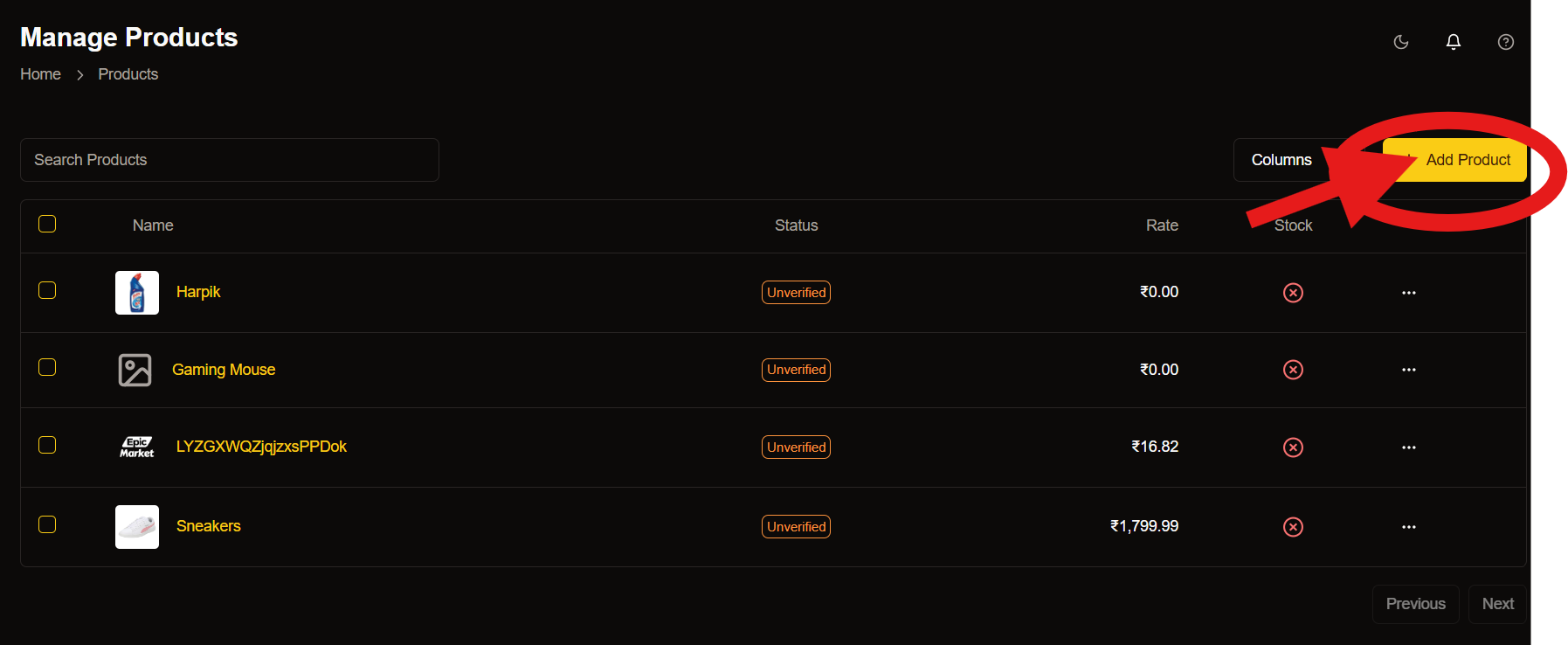 ## Adding New Products
Get your products online quickly with our streamlined process.
## Adding New Products
Get your products online quickly with our streamlined process.
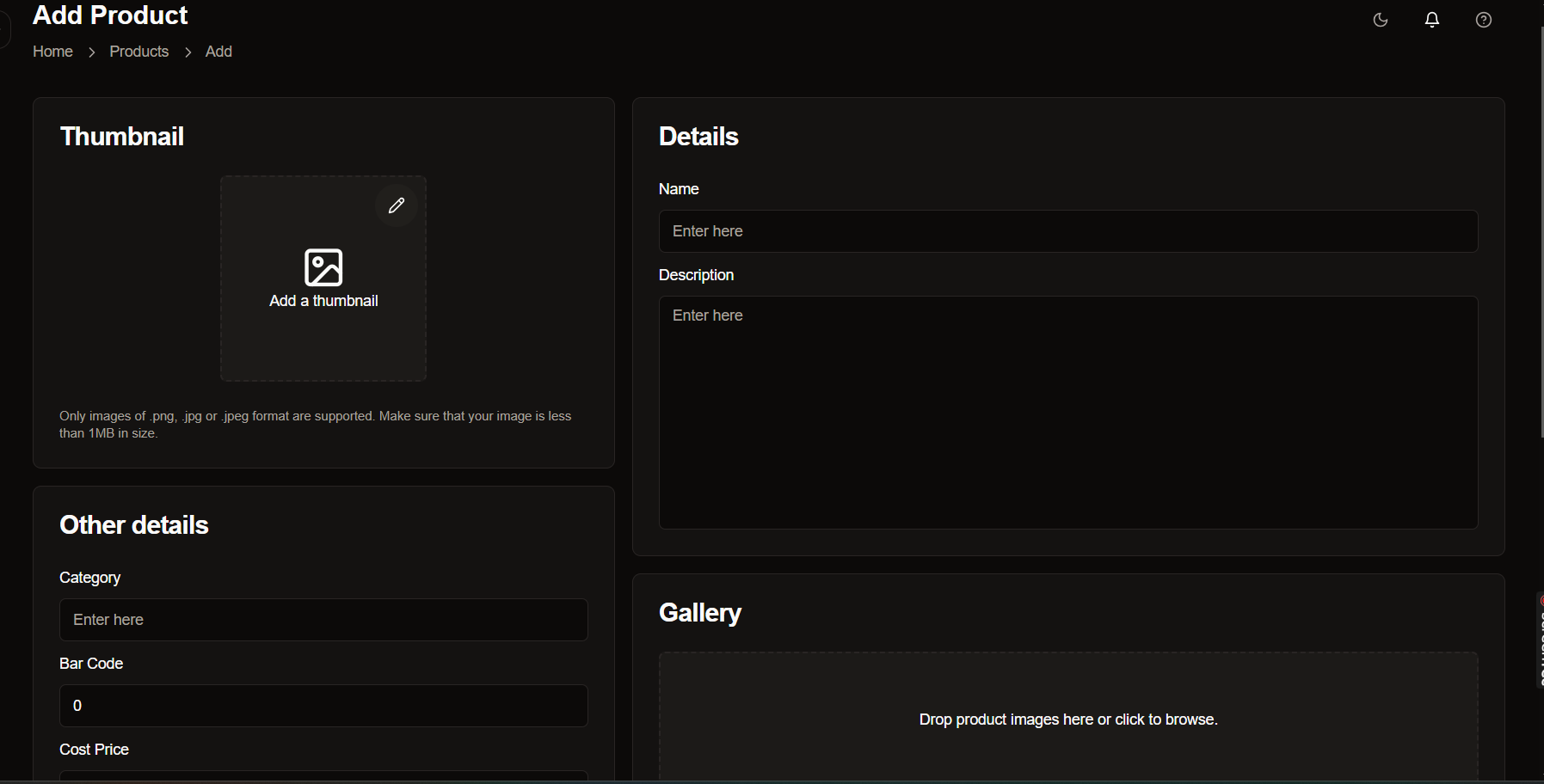 * Add Thumbnail Image:
Upload a high-quality main image for your product listing.
* Enter Product Details:
Input essential information like name, description and specifications.
* Set Category & Identification:
Select appropriate categories and add barcode information.
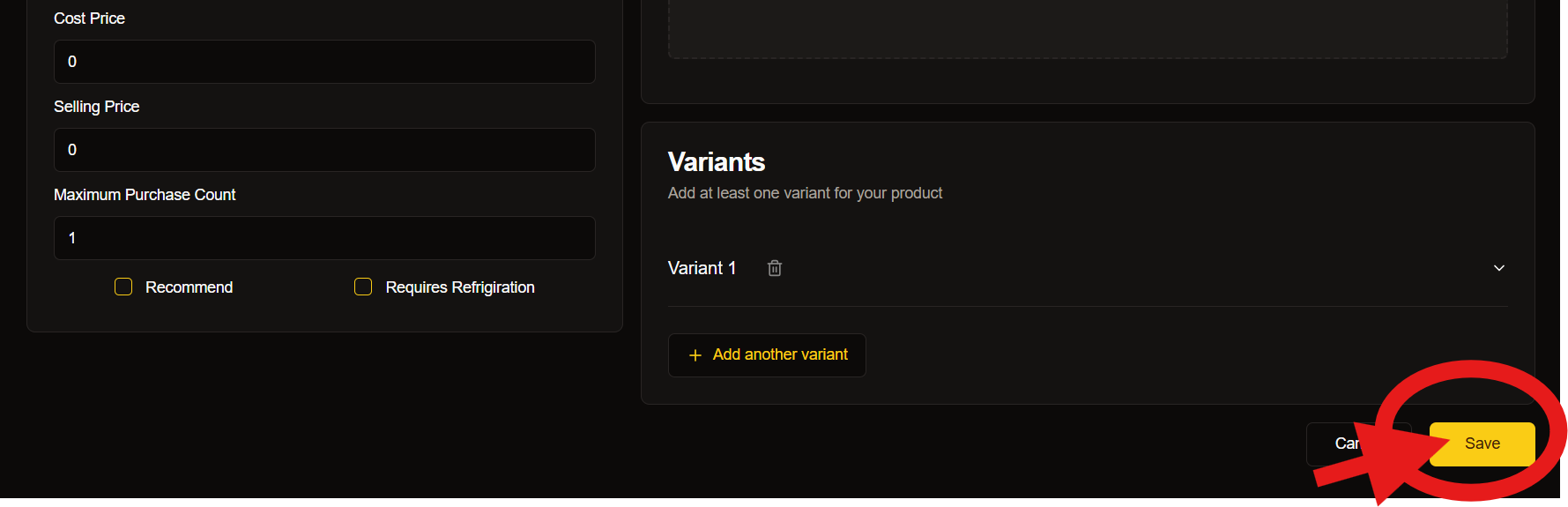
* Configure Pricing:
Set your cost price and selling price with proper margins.
For best results, use high-resolution images (1000x1000px minimum) to showcase your products effectively.
* Add Thumbnail Image:
Upload a high-quality main image for your product listing.
* Enter Product Details:
Input essential information like name, description and specifications.
* Set Category & Identification:
Select appropriate categories and add barcode information.
* Configure Pricing:
Set your cost price and selling price with proper margins.
For best results, use high-resolution images (1000x1000px minimum) to showcase your products effectively.
 ## Product Information Guide
### Essential Details
* Product name
* Description
* Category selection
* Barcode number
* Cost price
### Optional Information
* Additional specifications
* Product dimensions
* Weight details
* Material information
### Gallery Requirements
* Main thumbnail image
* Multiple angle shots
* Detail close-ups
* Size comparison images
## Inventory Management
Keep track of your stock effectively with our robust management system.
## Product Information Guide
### Essential Details
* Product name
* Description
* Category selection
* Barcode number
* Cost price
### Optional Information
* Additional specifications
* Product dimensions
* Weight details
* Material information
### Gallery Requirements
* Main thumbnail image
* Multiple angle shots
* Detail close-ups
* Size comparison images
## Inventory Management
Keep track of your stock effectively with our robust management system.
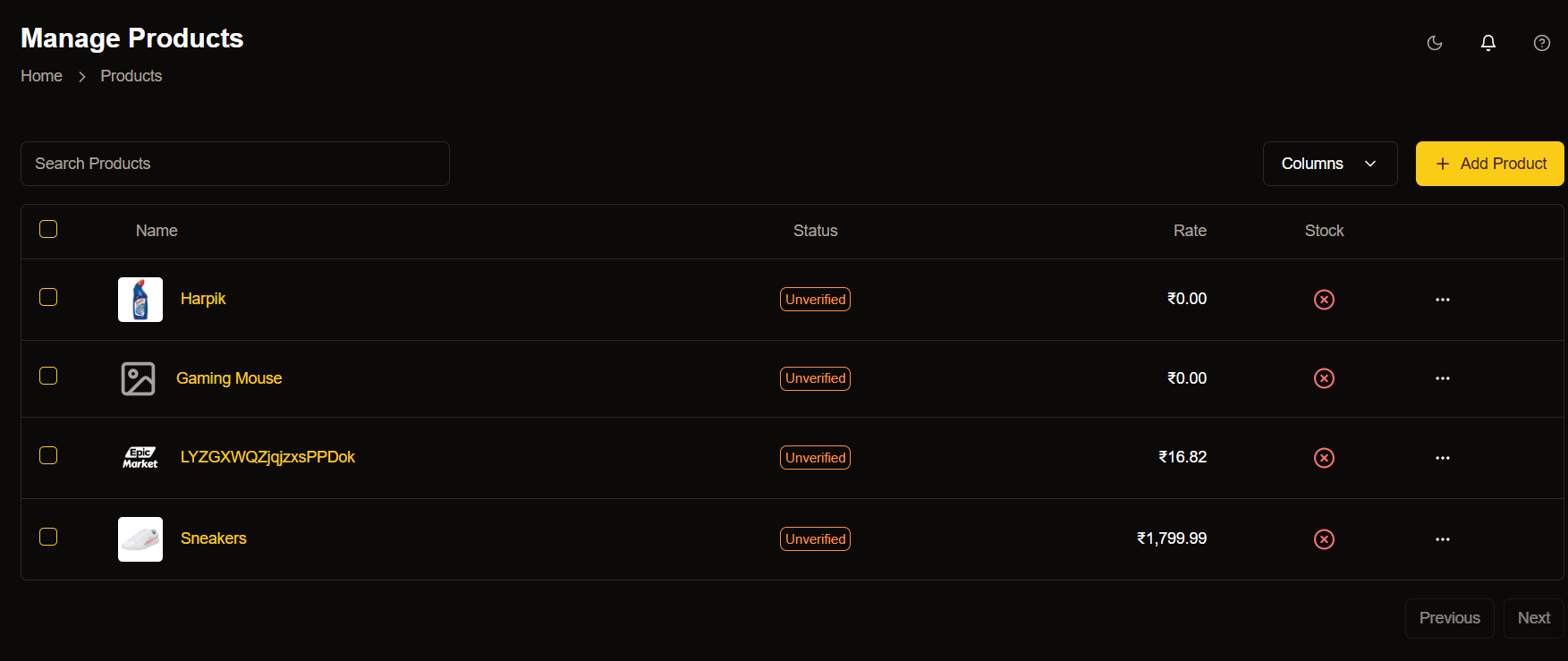 ### Stock Indicators:
* 🟢 In Stock
* 🟡 Low Stock
* 🔴 Out of Stock
### Quick Actions
* Update quantities
* Set stock alerts
* View stock history
## Price Management
* Setting Base Price:
Learn how to set the right base price for your products considering all costs.
* Bulk Price Updates:
Efficiently update prices for multiple products simultaneously.
* Special Pricing:
Configure special prices for sales and promotions.
## Product Variants
* Create Base Product:
Start with your main product listing.
* Add Variations:
Include different sizes, colors, or styles.
* Set Specific Details:
Configure prices and stock for each variant.
* Review and Publish:
Double-check all variant information before going live.
## Best Practices
### Regular Maintenance
* Update product information regularly
* Check and adjust pricing as needed
* Monitor stock levels daily
* Verify product details accuracy
### Quality Standards
* Use professional photography
* Write detailed descriptions
* Maintain consistent pricing
* Complete verification processes
### Inventory Control
* Set reorder points
* Monitor stock movements
* Track product performance
* Update availability status
## Keyboard Shortcuts
Master these shortcuts to speed up your workflow:
### Navigation Shortcuts
| Action | Shortcut |
| ------------ | ---------- |
| New Product | ⌘/Ctrl + N |
| Save Changes | ⌘/Ctrl + S |
| Search | ⌘/Ctrl + F |
### Common Actions
| Action | Shortcut |
| --------- | ---------- |
| Duplicate | ⌘/Ctrl + D |
| Preview | ⌘/Ctrl + P |
| Refresh | ⌘/Ctrl + R |
## Need Help?
### Support Options
Get help when you need it
* 📧 Email Support: [support@epicmarket.com](mailto:support@epicmarket.com)
* 💬 Live Chat
## Quick Tips
* Image Optimization:
Optimize your product images for faster loading.
* Description Writing:
Create compelling product descriptions.
* Category Selection:
Choose the most relevant categories.
* Stock Management:
Set up automated stock alerts.
Always save your changes before navigating away from the product management page to prevent data loss.
## Next Steps
Explore advanced product management features
Set up automated inventory management
Track product performance metrics
### Stock Indicators:
* 🟢 In Stock
* 🟡 Low Stock
* 🔴 Out of Stock
### Quick Actions
* Update quantities
* Set stock alerts
* View stock history
## Price Management
* Setting Base Price:
Learn how to set the right base price for your products considering all costs.
* Bulk Price Updates:
Efficiently update prices for multiple products simultaneously.
* Special Pricing:
Configure special prices for sales and promotions.
## Product Variants
* Create Base Product:
Start with your main product listing.
* Add Variations:
Include different sizes, colors, or styles.
* Set Specific Details:
Configure prices and stock for each variant.
* Review and Publish:
Double-check all variant information before going live.
## Best Practices
### Regular Maintenance
* Update product information regularly
* Check and adjust pricing as needed
* Monitor stock levels daily
* Verify product details accuracy
### Quality Standards
* Use professional photography
* Write detailed descriptions
* Maintain consistent pricing
* Complete verification processes
### Inventory Control
* Set reorder points
* Monitor stock movements
* Track product performance
* Update availability status
## Keyboard Shortcuts
Master these shortcuts to speed up your workflow:
### Navigation Shortcuts
| Action | Shortcut |
| ------------ | ---------- |
| New Product | ⌘/Ctrl + N |
| Save Changes | ⌘/Ctrl + S |
| Search | ⌘/Ctrl + F |
### Common Actions
| Action | Shortcut |
| --------- | ---------- |
| Duplicate | ⌘/Ctrl + D |
| Preview | ⌘/Ctrl + P |
| Refresh | ⌘/Ctrl + R |
## Need Help?
### Support Options
Get help when you need it
* 📧 Email Support: [support@epicmarket.com](mailto:support@epicmarket.com)
* 💬 Live Chat
## Quick Tips
* Image Optimization:
Optimize your product images for faster loading.
* Description Writing:
Create compelling product descriptions.
* Category Selection:
Choose the most relevant categories.
* Stock Management:
Set up automated stock alerts.
Always save your changes before navigating away from the product management page to prevent data loss.
## Next Steps
Explore advanced product management features
Set up automated inventory management
Track product performance metrics