> ## Documentation Index
> Fetch the complete documentation index at: https://docs.epicmarket.in/llms.txt
> Use this file to discover all available pages before exploring further.
# 📊 Business Information Guide
> Complete guide to setting up your business profile accurately
# Business Information Setup Guide
Setting up your business profile is a crucial step in establishing your digital presence. Follow this comprehensive guide to ensure all your business details are entered accurately.
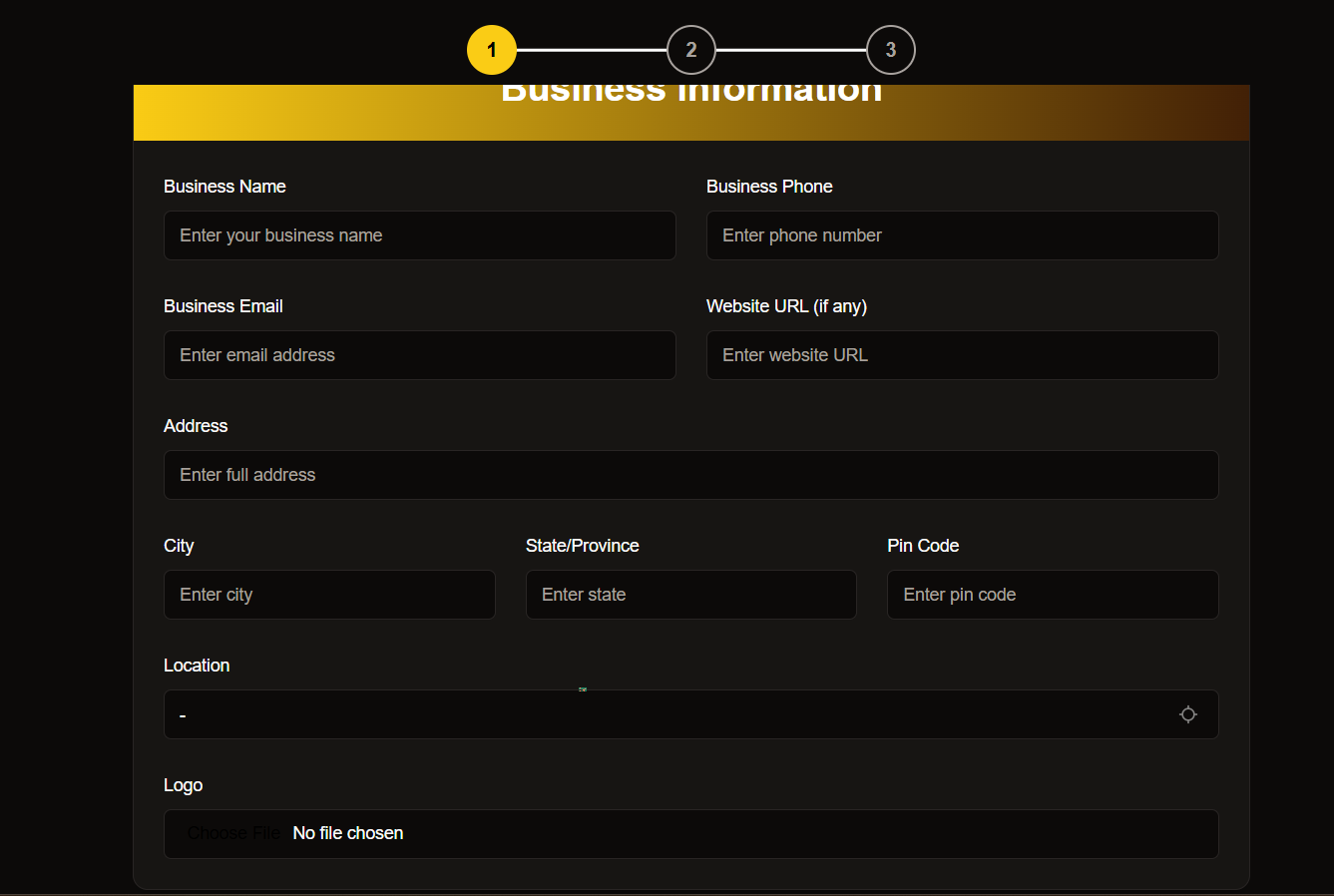 Have your business documents ready before starting this process to ensure a smooth setup experience.
## Essential Business Details
### Business Name
Enter your officially registered business name
* Use your legal business name as registered
* Double-check spelling and formatting
* Avoid abbreviations unless part of official name
### Contact Information
Set up your primary contact methods
* **Phone**: Enter a dedicated business contact number
* **Email**: Use your professional business email
* **Website**: Add your business URL (if available)
### Physical Location
Provide your complete business address
```text theme={null}
Street Address:1-922, streetno-2
Area,village/city: Bommuru,Rajahmundry
District,State: East Godavari, Andhra Pradesh
PIN Code:533124
```
### Business Identity
Upload your brand assets and identifiers
* Accepted formats: PNG, JPEG
* Max file size: 5MB
* Recommended dimensions: 500x500px
Select from available categories:
* Retail
* Services
* Manufacturing
* Others
Have your business documents ready before starting this process to ensure a smooth setup experience.
## Essential Business Details
### Business Name
Enter your officially registered business name
* Use your legal business name as registered
* Double-check spelling and formatting
* Avoid abbreviations unless part of official name
### Contact Information
Set up your primary contact methods
* **Phone**: Enter a dedicated business contact number
* **Email**: Use your professional business email
* **Website**: Add your business URL (if available)
### Physical Location
Provide your complete business address
```text theme={null}
Street Address:1-922, streetno-2
Area,village/city: Bommuru,Rajahmundry
District,State: East Godavari, Andhra Pradesh
PIN Code:533124
```
### Business Identity
Upload your brand assets and identifiers
* Accepted formats: PNG, JPEG
* Max file size: 5MB
* Recommended dimensions: 500x500px
Select from available categories:
* Retail
* Services
* Manufacturing
* Others
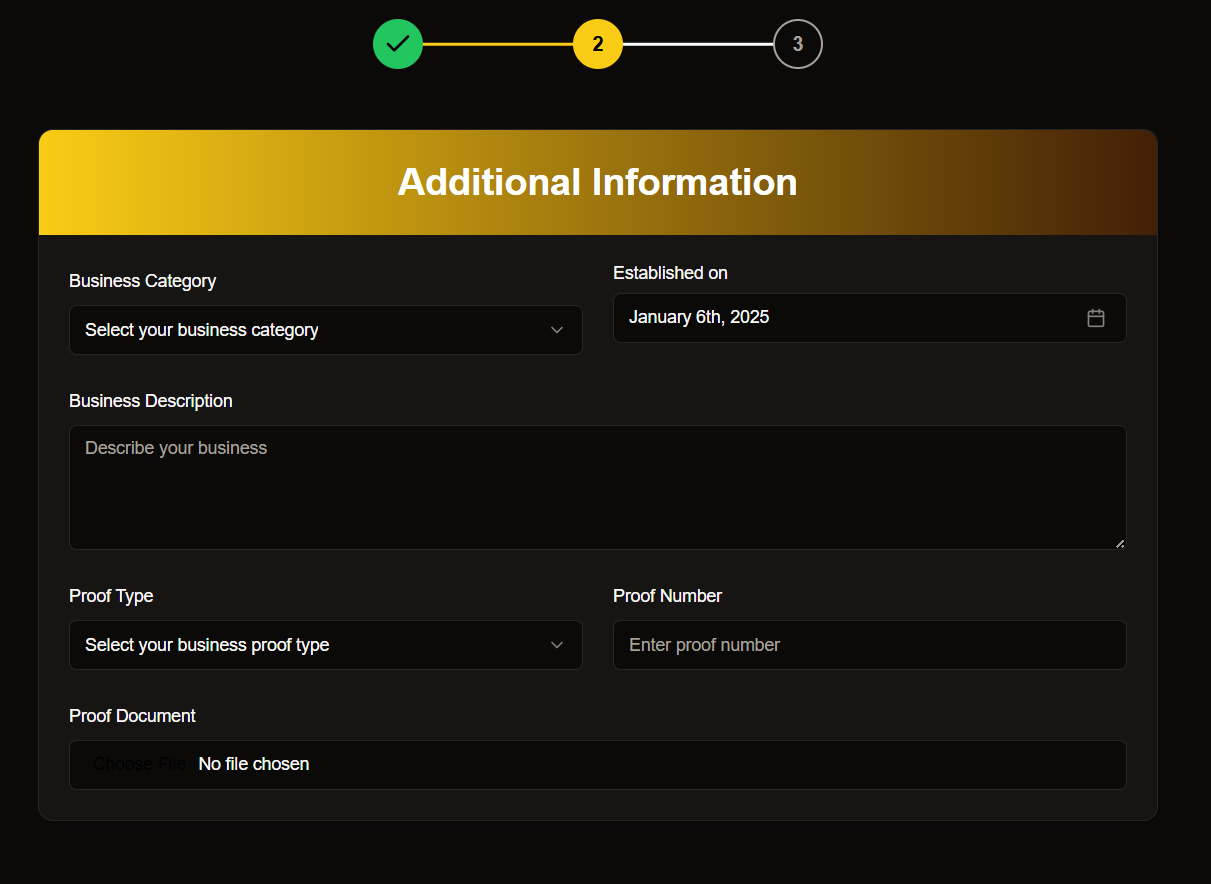 ## Business Verification
### Proof Types Accepted
Choose one of the following verification documents:
* Valid GSTIN required
* Clear scanned copy
* Current validity
* Issued by local authority
* Company registration number
* ROC details
### Document Guidelines
Ensure your uploaded documents are:
* Clearly scanned
* Current and valid
* In accepted format (PDF/JPEG)
* Under 10MB in size
## Business Verification
### Proof Types Accepted
Choose one of the following verification documents:
* Valid GSTIN required
* Clear scanned copy
* Current validity
* Issued by local authority
* Company registration number
* ROC details
### Document Guidelines
Ensure your uploaded documents are:
* Clearly scanned
* Current and valid
* In accepted format (PDF/JPEG)
* Under 10MB in size
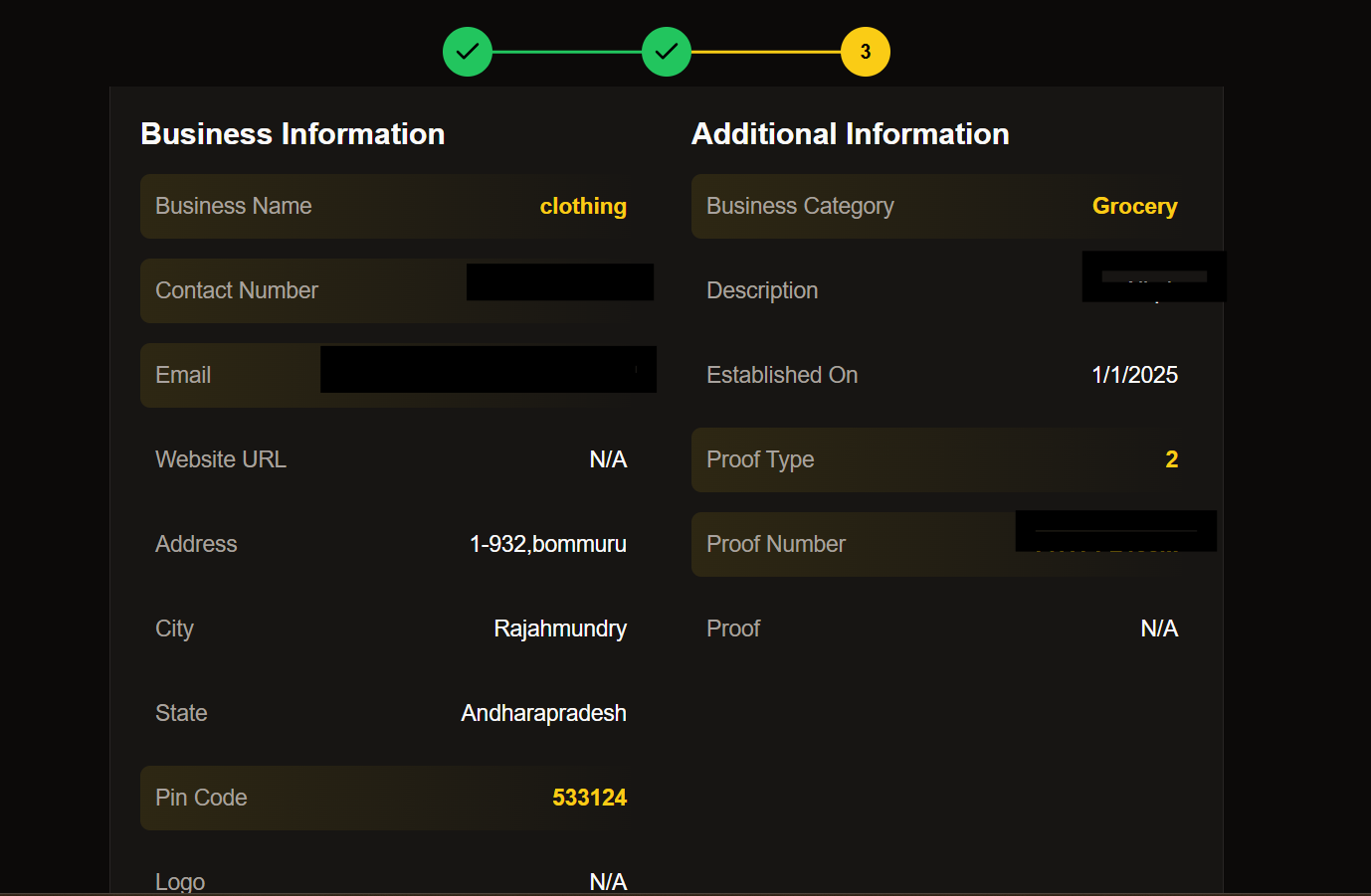 ## Final Review
Before submitting your information, please verify the following:
* All required fields are completed
* Documents are properly uploaded
* Contact information is accurate
* Business details are current
## Final Review
Before submitting your information, please verify the following:
* All required fields are completed
* Documents are properly uploaded
* Contact information is accurate
* Business details are current
 Need assistance? Our support team is available 24/7 to help you complete your business profile setup.
Contact us at [support@epicmarket.com](mailto:support@epicmarket.com)
## Next Steps
Check your inbox for verification email
Add additional business details
Configure payment methods
Launch your business profile
Need assistance? Our support team is available 24/7 to help you complete your business profile setup.
Contact us at [support@epicmarket.com](mailto:support@epicmarket.com)
## Next Steps
Check your inbox for verification email
Add additional business details
Configure payment methods
Launch your business profile