> ## Documentation Index
> Fetch the complete documentation index at: https://docs.epicmarket.in/llms.txt
> Use this file to discover all available pages before exploring further.
# 📞 Contact & Support 🛠️
> Get the help you need through our various support channels
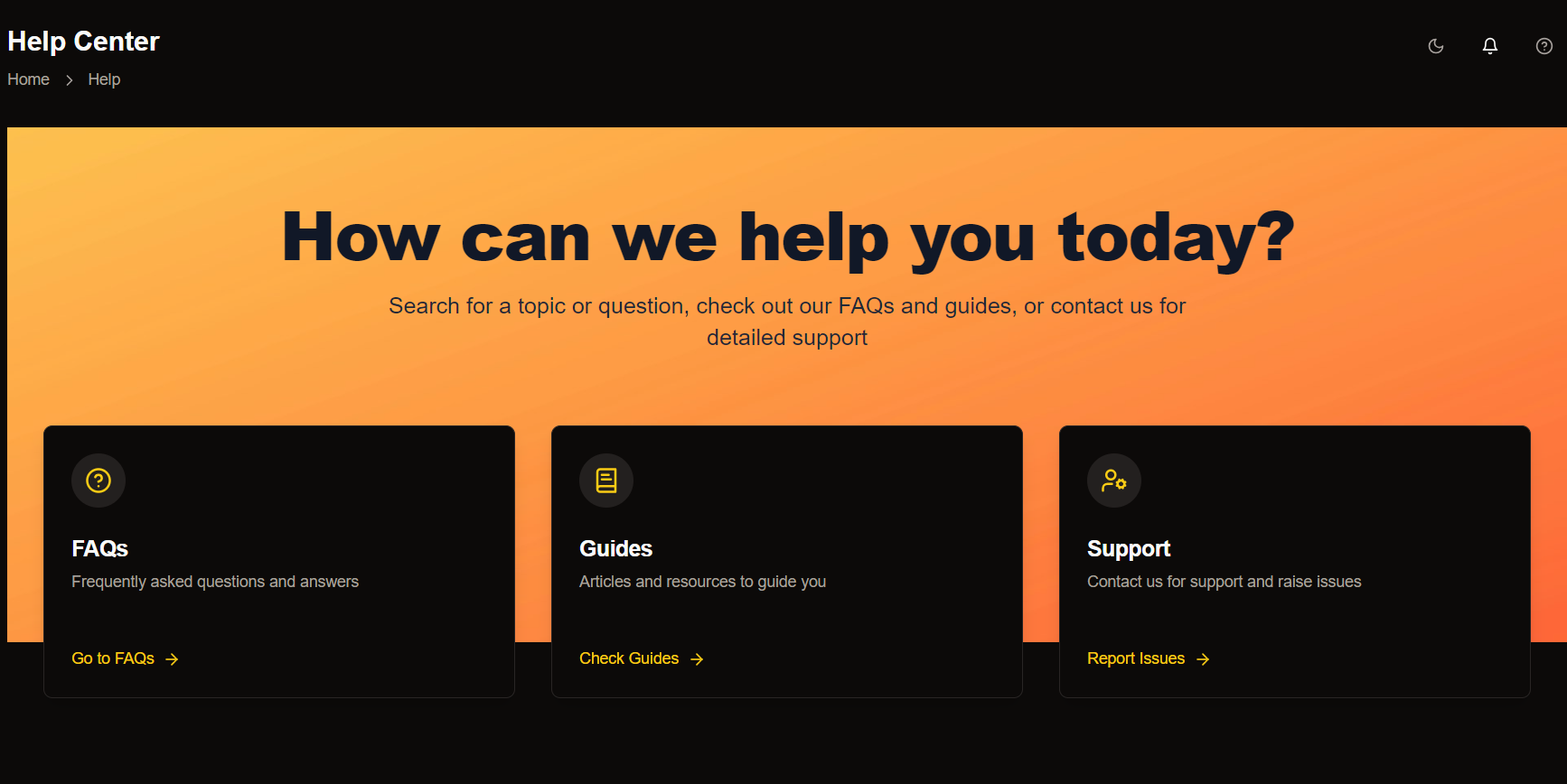 Need immediate assistance? Our support team is ready to help you through multiple channels.
## Support Options
Get quick answers to frequently asked questions. Our FAQ section is designed to address common concerns and provide solutions in a concise manner.
Access detailed articles and resources to guide you through various processes. Whether you're a beginner or an advanced user, our guides are tailored to meet your needs.
Need further assistance? Our support team is here to help! Contact us directly to report issues or get personalized help with your queries.
## Contact Methods
**Call us at:** 9014753848
Available Monday-Saturday, 9AM-7PM IST
**Email us at:** [support@epicmarket.in](mailto:support@epicmarket.in)
We typically respond within 24 hours
**Address:**\
D. No: 1/922, Bank Colony\
RK Nagar, Rajahmundry
Open for in-person support during business hours
Need immediate assistance? Our support team is ready to help you through multiple channels.
## Support Options
Get quick answers to frequently asked questions. Our FAQ section is designed to address common concerns and provide solutions in a concise manner.
Access detailed articles and resources to guide you through various processes. Whether you're a beginner or an advanced user, our guides are tailored to meet your needs.
Need further assistance? Our support team is here to help! Contact us directly to report issues or get personalized help with your queries.
## Contact Methods
**Call us at:** 9014753848
Available Monday-Saturday, 9AM-7PM IST
**Email us at:** [support@epicmarket.in](mailto:support@epicmarket.in)
We typically respond within 24 hours
**Address:**\
D. No: 1/922, Bank Colony\
RK Nagar, Rajahmundry
Open for in-person support during business hours
 ## Submit Your Request
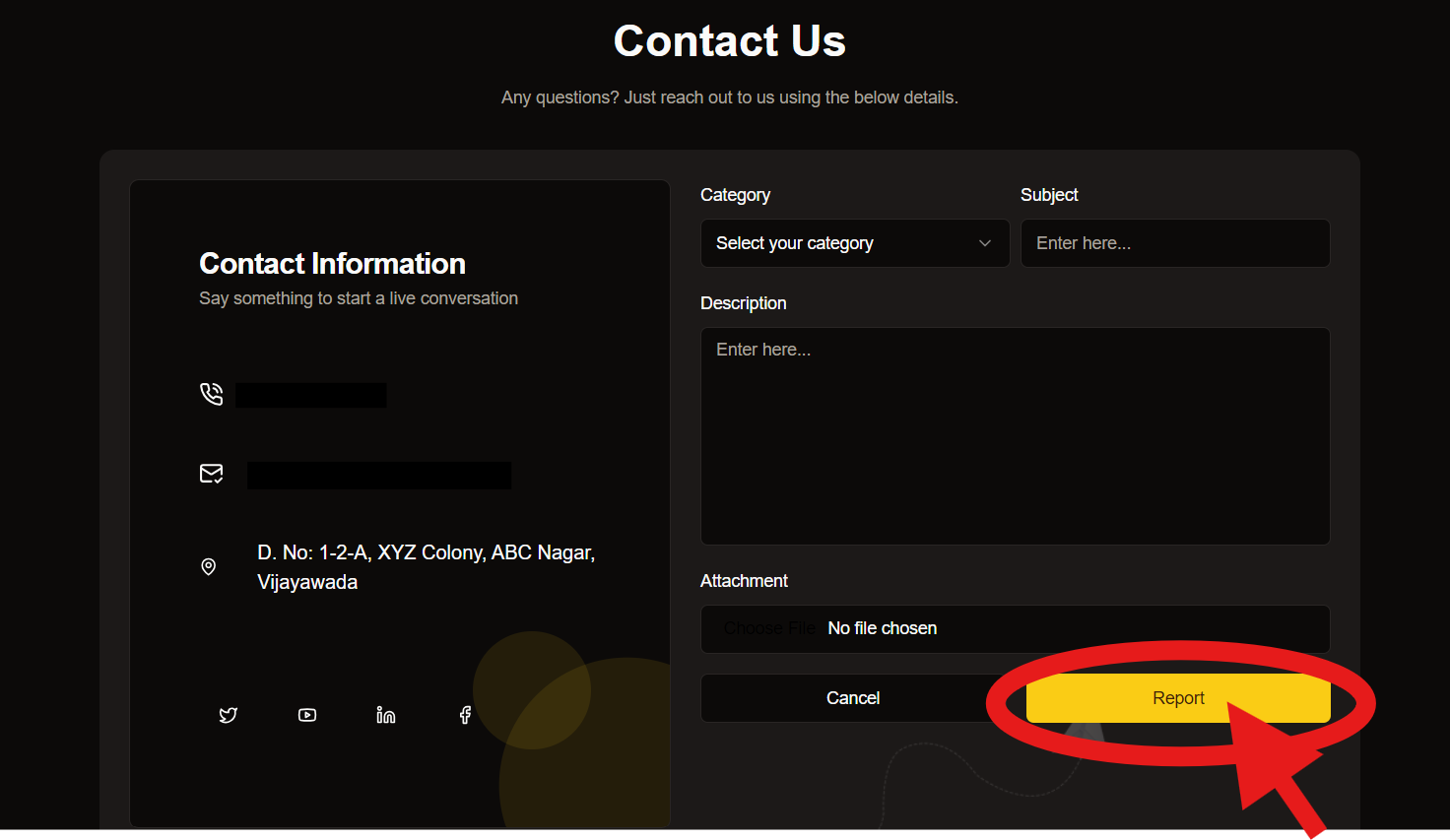
1. Select the category that best matches your concern.
2. Provide a brief subject line summarizing your query.
3. Enter detailed information about your issue or feedback.
4. Attach relevant documents or images to support your request.
For faster resolution, please include any relevant error messages or screenshots with your request.
## Response Time Guidelines
Service outages, security issues
Functionality blocked
General inquiries
Feature requests, feedback
For urgent matters requiring immediate attention, please use our phone support channel.
## Submit Your Request
1. Select the category that best matches your concern.
2. Provide a brief subject line summarizing your query.
3. Enter detailed information about your issue or feedback.
4. Attach relevant documents or images to support your request.
For faster resolution, please include any relevant error messages or screenshots with your request.
## Response Time Guidelines
Service outages, security issues
Functionality blocked
General inquiries
Feature requests, feedback
For urgent matters requiring immediate attention, please use our phone support channel.