> ## Documentation Index
> Fetch the complete documentation index at: https://docs.epicmarket.in/llms.txt
> Use this file to discover all available pages before exploring further.
# 👥 Manage Staff
> Streamline employee management with our centralized platform
# Manage Staff
The **Manage Staff** feature is designed to help administrators streamline employee management by providing a centralized platform for storing and accessing staff information. This tool is essential for organizations looking to maintain accurate records and improve operational efficiency.
Add new staff members in minutes
Manage your entire team from one place
 ## Adding New Staff to Your Branch
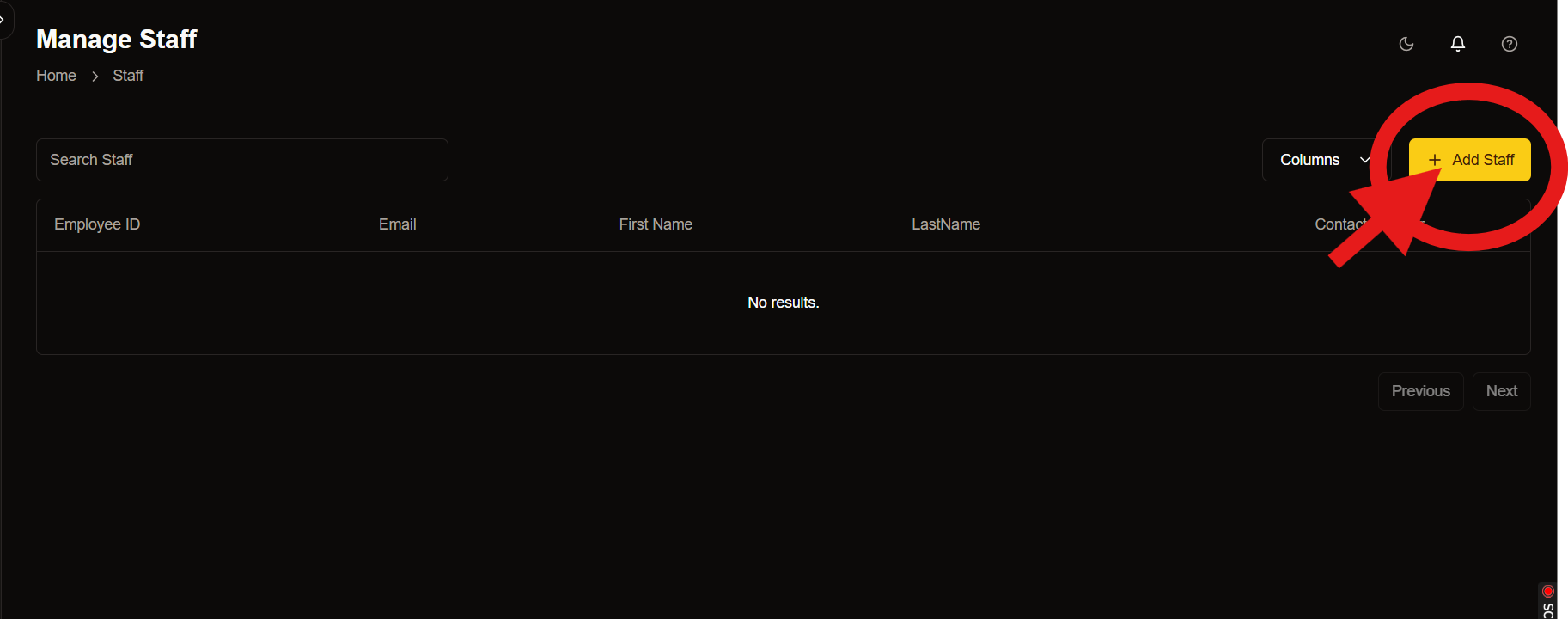
Managing a team efficiently starts with onboarding the right people. The **Add Staff** page is designed to make this process seamless for administrators.
Before adding a new staff member, ensure you have their correct email address and contact information.
## Adding New Staff to Your Branch
Managing a team efficiently starts with onboarding the right people. The **Add Staff** page is designed to make this process seamless for administrators.
Before adding a new staff member, ensure you have their correct email address and contact information.
 ### Employee Details Form
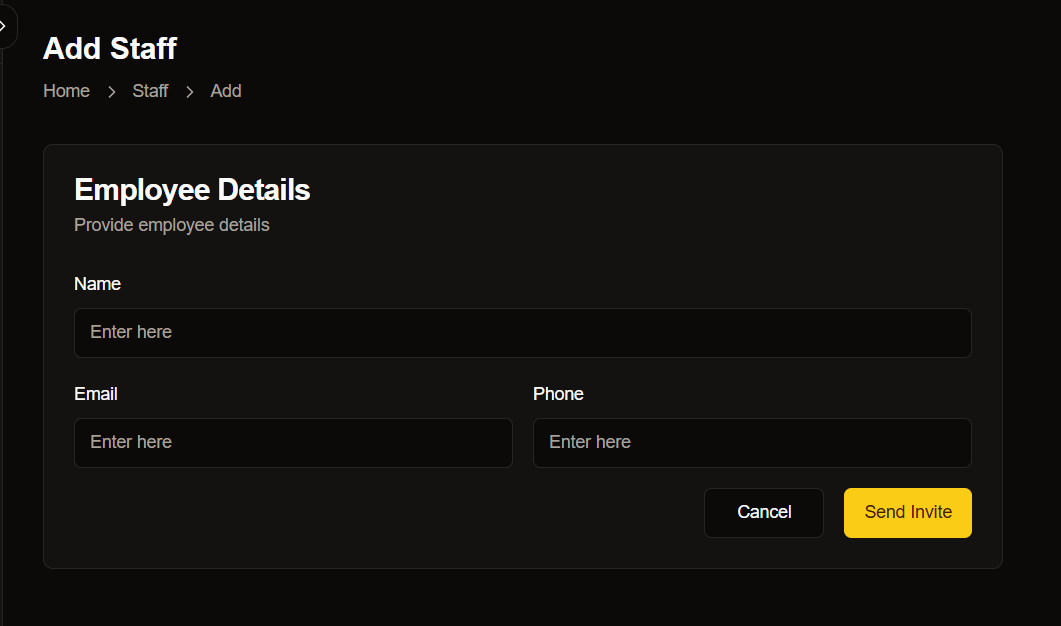
The form on this page allows you to input essential details about the new staff member.
| Field | Description |
| ----- | -------------------------- |
| Name | Full name of the employee |
| Email | Professional email address |
| Phone | Contact number |
### Actions
Once you've filled in the required details, you have two options:
### Employee Details Form
The form on this page allows you to input essential details about the new staff member.
| Field | Description |
| ----- | -------------------------- |
| Name | Full name of the employee |
| Email | Professional email address |
| Phone | Contact number |
### Actions
Once you've filled in the required details, you have two options:
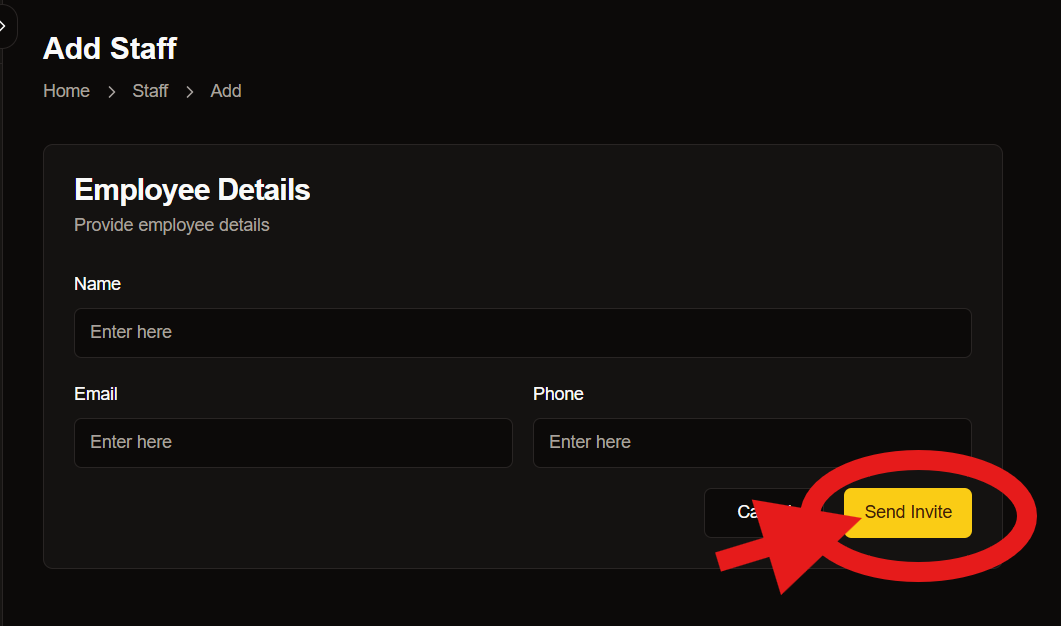 Clicking this button sends an invitation to the provided email address, allowing the new staff member to join your system.
If you need to discard the entered information, use this button to clear the form and return to the previous page.
## Best Practices
### Verify Information
Double-check all entered information before sending invites.
### Use Corporate Email
Always use professional email addresses for staff accounts.
### Follow Naming Conventions
Maintain consistent formatting for names and titles.
Staff invitations expire after 48 hours. Ensure new staff members accept their invitations promptly.
***
## Need Help?
If you need assistance with staff management, our support team is available 24/7:
* Email: [support@epicmarket.com](mailto:support@epicmarket.com)
* Live Chat: Available in dashboard
Clicking this button sends an invitation to the provided email address, allowing the new staff member to join your system.
If you need to discard the entered information, use this button to clear the form and return to the previous page.
## Best Practices
### Verify Information
Double-check all entered information before sending invites.
### Use Corporate Email
Always use professional email addresses for staff accounts.
### Follow Naming Conventions
Maintain consistent formatting for names and titles.
Staff invitations expire after 48 hours. Ensure new staff members accept their invitations promptly.
***
## Need Help?
If you need assistance with staff management, our support team is available 24/7:
* Email: [support@epicmarket.com](mailto:support@epicmarket.com)
* Live Chat: Available in dashboard