

Managing Products Guide
The “Manage Products” page is your command center for efficient product catalog management. Monitor listings, track inventory and maintain pricing all in one powerful interface.Quick Add
Add new products instantly
Batch Update
Modify multiple products at once
Stock Control
Monitor inventory levels
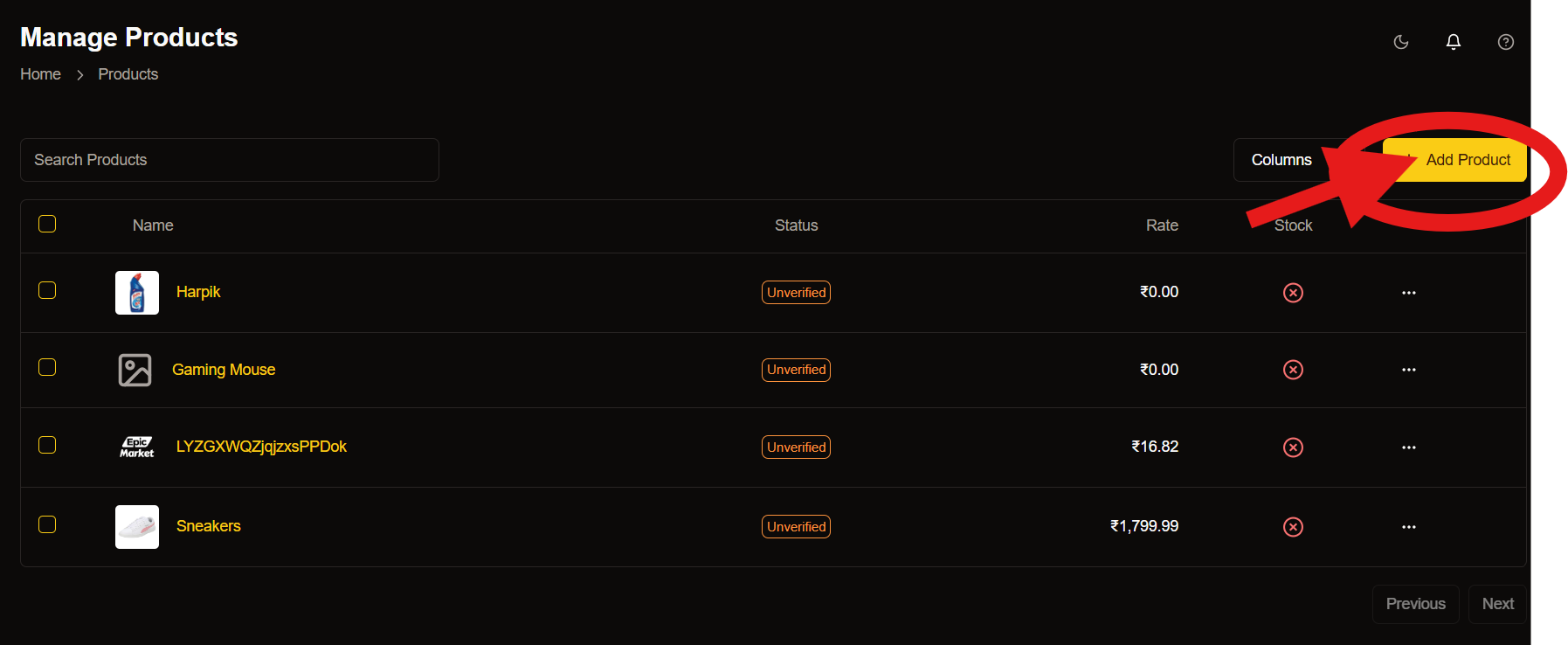
Adding New Products
Get your products online quickly with our streamlined process.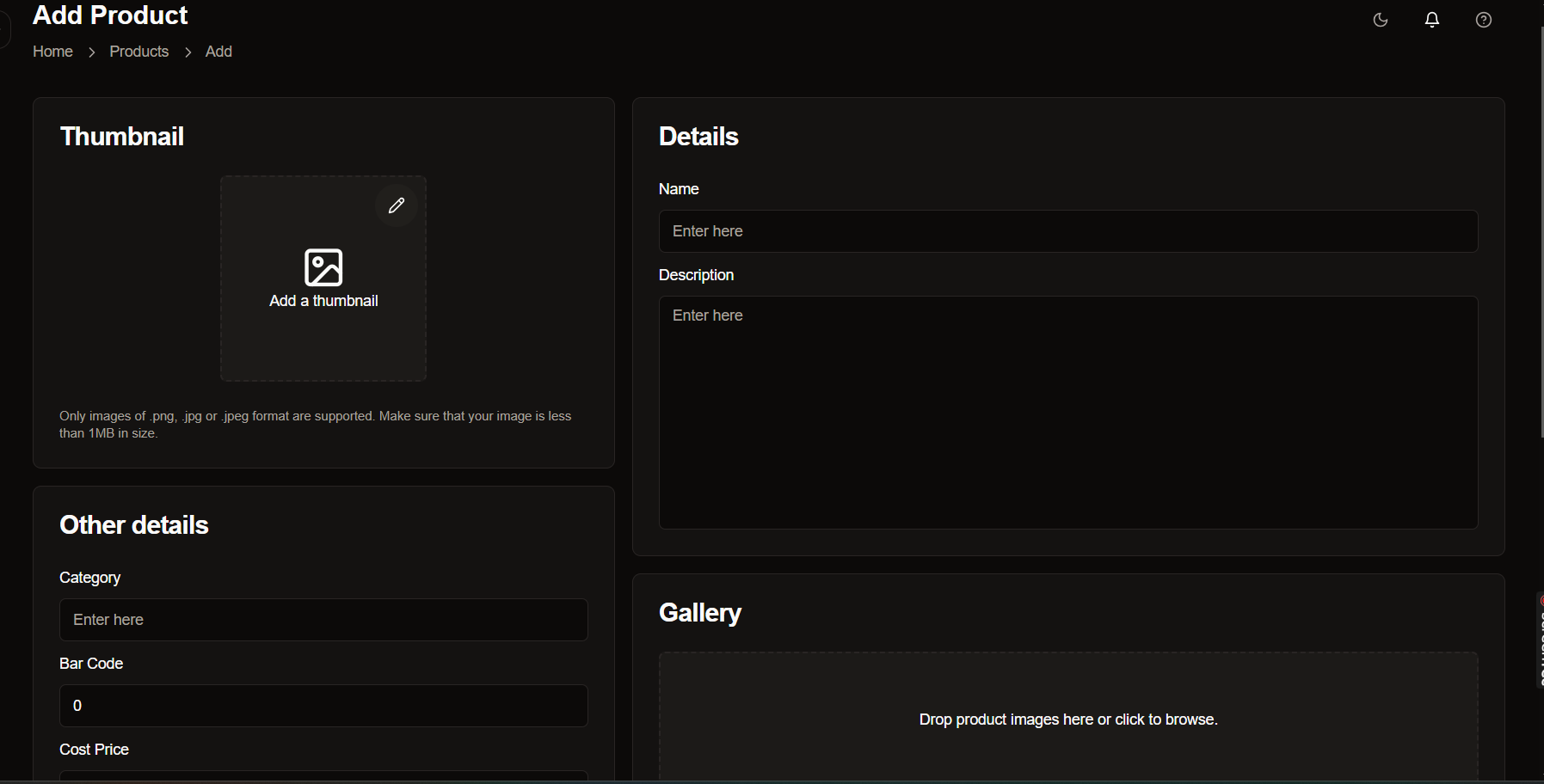
- Add Thumbnail Image: Upload a high-quality main image for your product listing.
- Enter Product Details: Input essential information like name, description and specifications.
- Set Category & Identification: Select appropriate categories and add barcode information.
- Configure Pricing: Set your cost price and selling price with proper margins.
For best results, use high-resolution images (1000x1000px minimum) to showcase your products effectively.
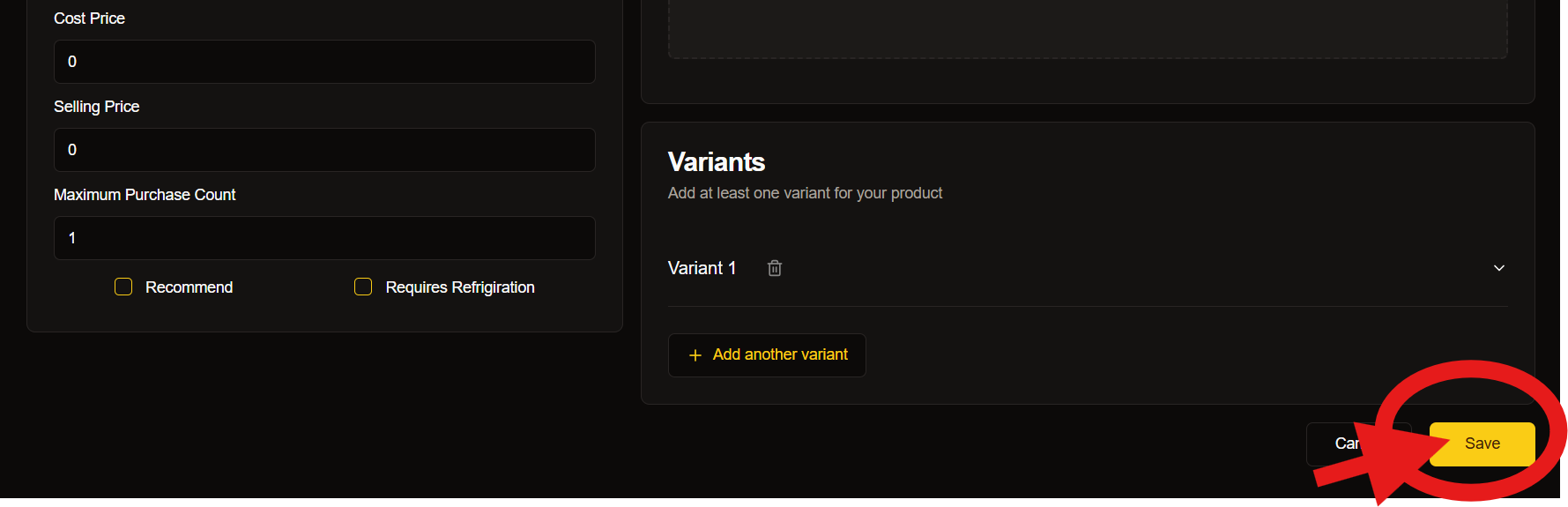
Product Information Guide
Essential Details
- Product name
- Description
- Category selection
- Barcode number
- Cost price
Optional Information
- Additional specifications
- Product dimensions
- Weight details
- Material information
Gallery Requirements
- Main thumbnail image
- Multiple angle shots
- Detail close-ups
- Size comparison images
Inventory Management
Keep track of your stock effectively with our robust management system.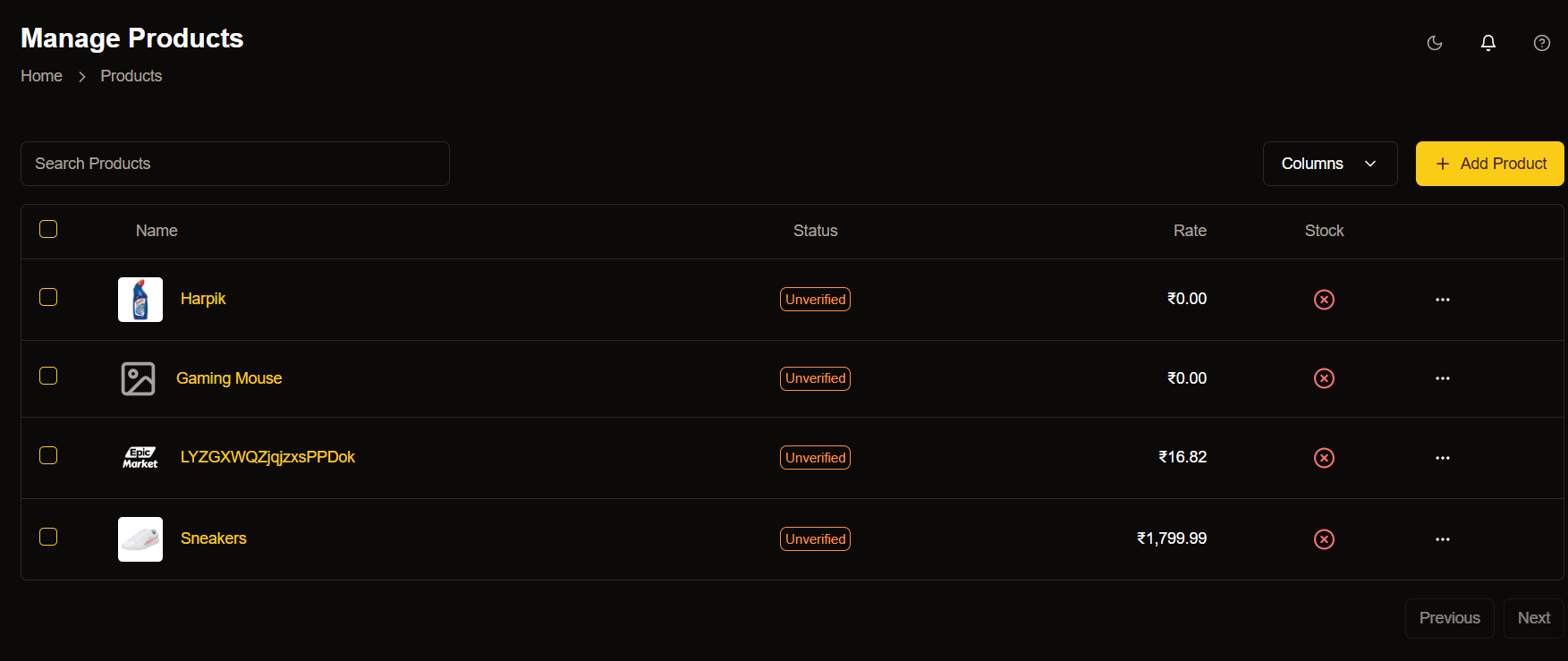
Stock Indicators:
- 🟢 In Stock
- 🟡 Low Stock
- 🔴 Out of Stock
Quick Actions
- Update quantities
- Set stock alerts
- View stock history
Price Management
- Setting Base Price: Learn how to set the right base price for your products considering all costs.
- Bulk Price Updates: Efficiently update prices for multiple products simultaneously.
- Special Pricing: Configure special prices for sales and promotions.
Product Variants
- Create Base Product: Start with your main product listing.
- Add Variations: Include different sizes, colors, or styles.
- Set Specific Details: Configure prices and stock for each variant.
- Review and Publish: Double-check all variant information before going live.
Best Practices
Regular Maintenance
- Update product information regularly
- Check and adjust pricing as needed
- Monitor stock levels daily
- Verify product details accuracy
Quality Standards
- Use professional photography
- Write detailed descriptions
- Maintain consistent pricing
- Complete verification processes
Inventory Control
- Set reorder points
- Monitor stock movements
- Track product performance
- Update availability status
Keyboard Shortcuts
Master these shortcuts to speed up your workflow:Navigation Shortcuts
Common Actions
Need Help?
Quick Tips
- Image Optimization: Optimize your product images for faster loading.
- Description Writing: Create compelling product descriptions.
- Category Selection: Choose the most relevant categories.
- Stock Management: Set up automated stock alerts.
Next Steps
Advanced Features
Explore advanced product management features
Automation
Set up automated inventory management
Analytics
Track product performance metrics