

Manage Staff
The Manage Staff feature is designed to help administrators streamline employee management by providing a centralized platform for storing and accessing staff information. This tool is essential for organizations looking to maintain accurate records and improve operational efficiency.Quick Add
Add new staff members in minutes
Easy Management
Manage your entire team from one place
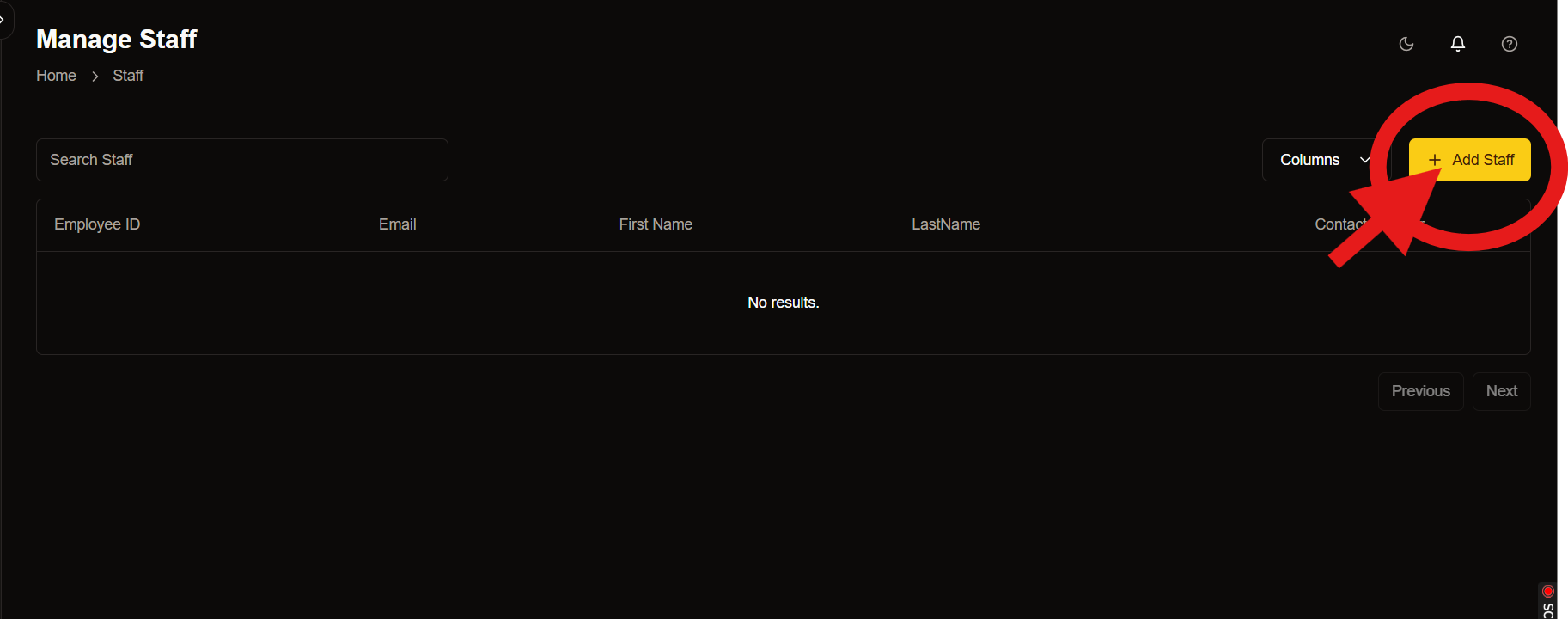
Adding New Staff to Your Branch
Managing a team efficiently starts with onboarding the right people. The Add Staff page is designed to make this process seamless for administrators.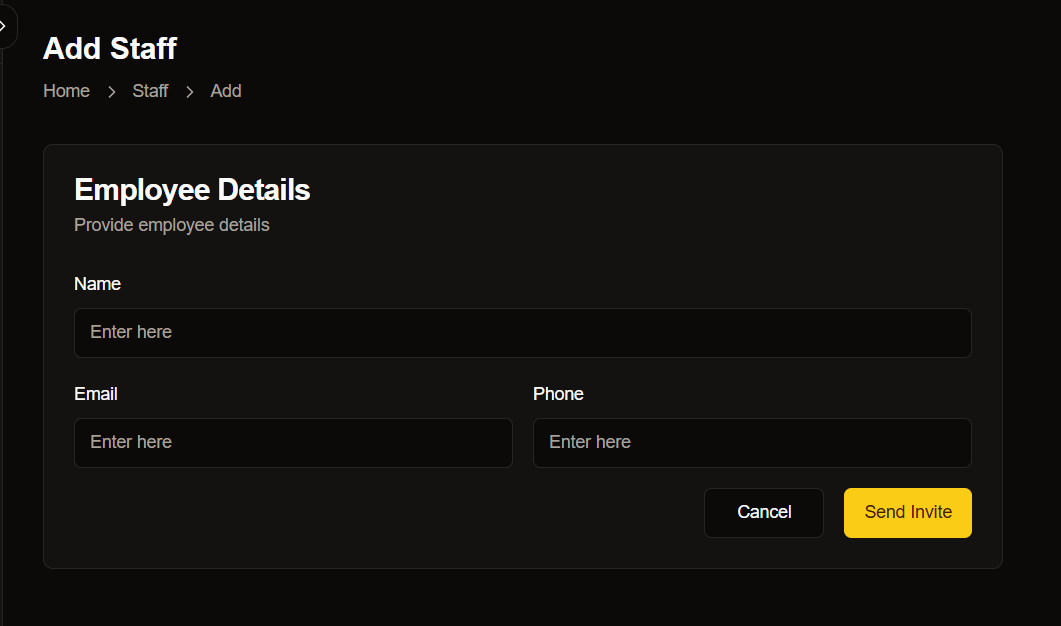
Employee Details Form
The form on this page allows you to input essential details about the new staff member.Required Fields
Required Fields
Actions
Once you’ve filled in the required details, you have two options: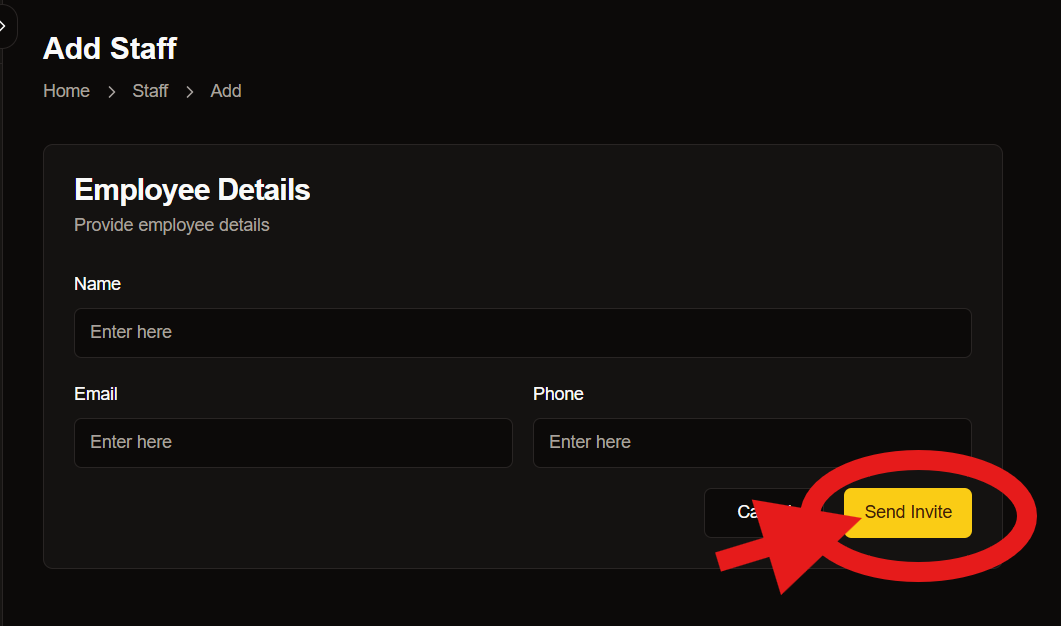
Send Invite
Clicking this button sends an invitation to the provided email address, allowing the new staff member to join your system.
Cancel
If you need to discard the entered information, use this button to clear the form and return to the previous page.
Best Practices
Verify Information
Double-check all entered information before sending invites.Use Corporate Email
Always use professional email addresses for staff accounts.Follow Naming Conventions
Maintain consistent formatting for names and titles.Need Help?
Support
If you need assistance with staff management, our support team is available 24/7:
- Email: support@epicmarket.com
- Live Chat: Available in dashboard