

Business Information Setup Guide
Setting up your business profile is a crucial step in establishing your digital presence. Follow this comprehensive guide to ensure all your business details are entered accurately.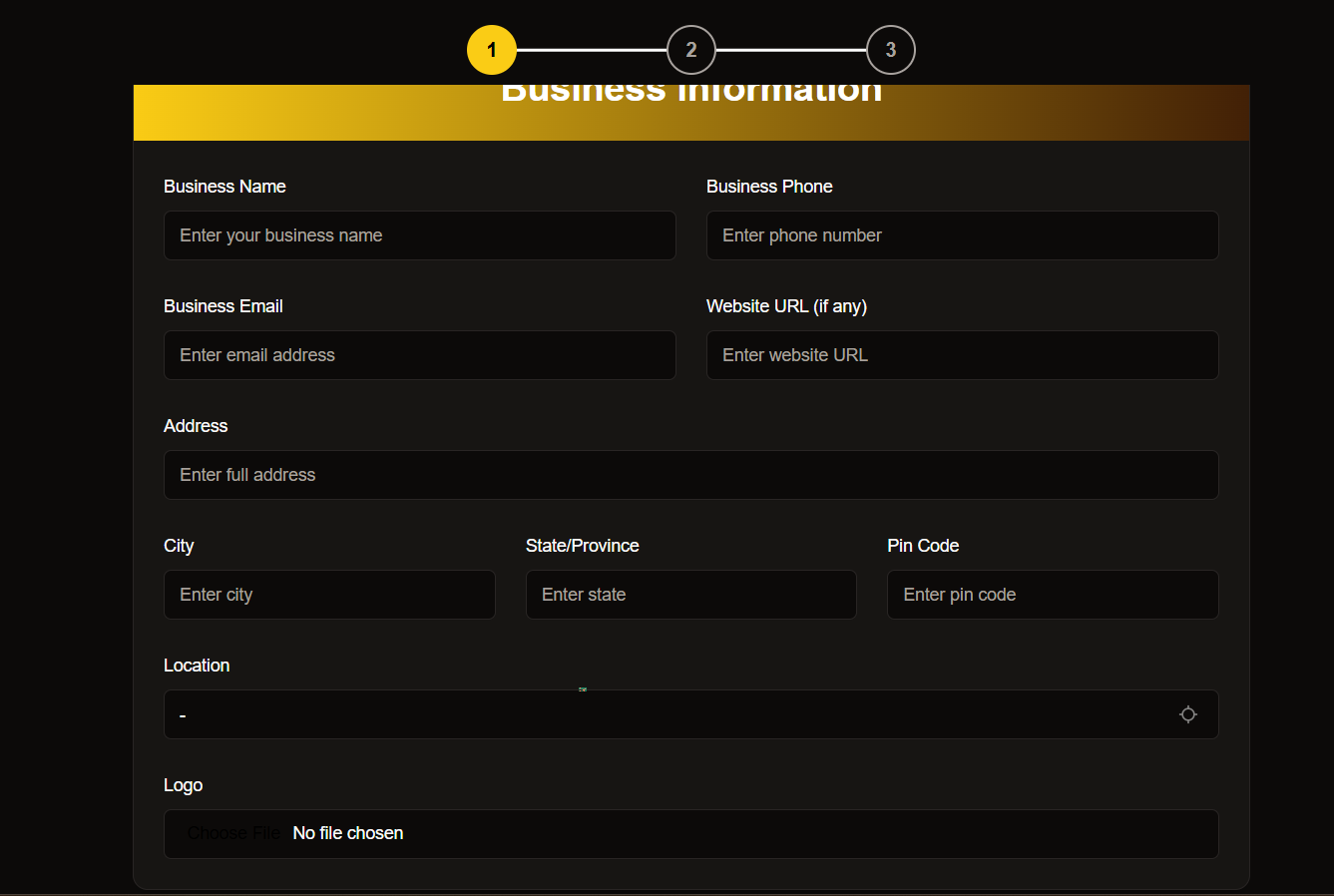
Have your business documents ready before starting this process to ensure a smooth setup experience.
Essential Business Details
Business Name
Enter your officially registered business name- Use your legal business name as registered
- Double-check spelling and formatting
- Avoid abbreviations unless part of official name
Contact Information
Set up your primary contact methods- Phone: Enter a dedicated business contact number
- Email: Use your professional business email
- Website: Add your business URL (if available)
Physical Location
Provide your complete business addressBusiness Identity
Upload your brand assets and identifiersLogo Upload
- Accepted formats: PNG, JPEG
- Max file size: 5MB
- Recommended dimensions: 500x500px
Business Category
Select from available categories:
- Retail
- Services
- Manufacturing
- Others
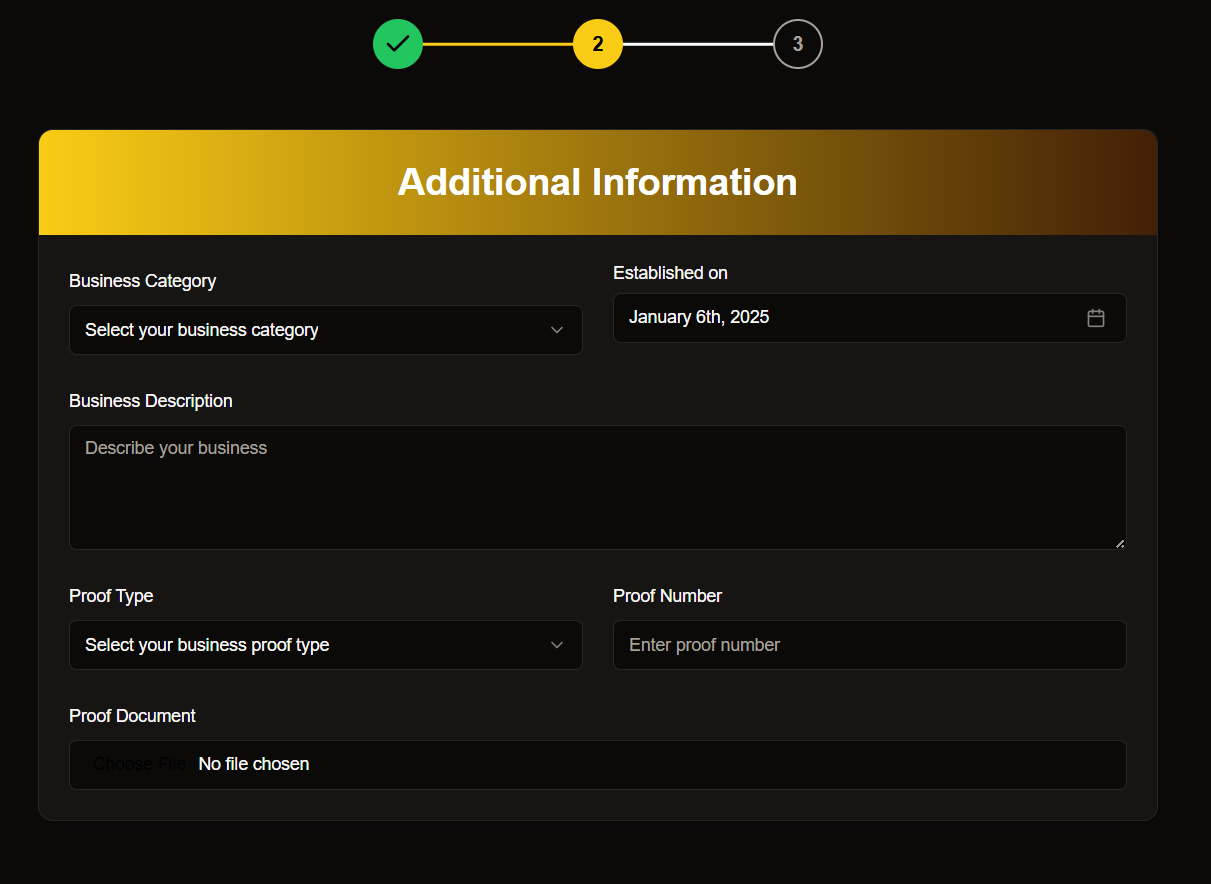
Business Verification
Required Documents
Required Documents
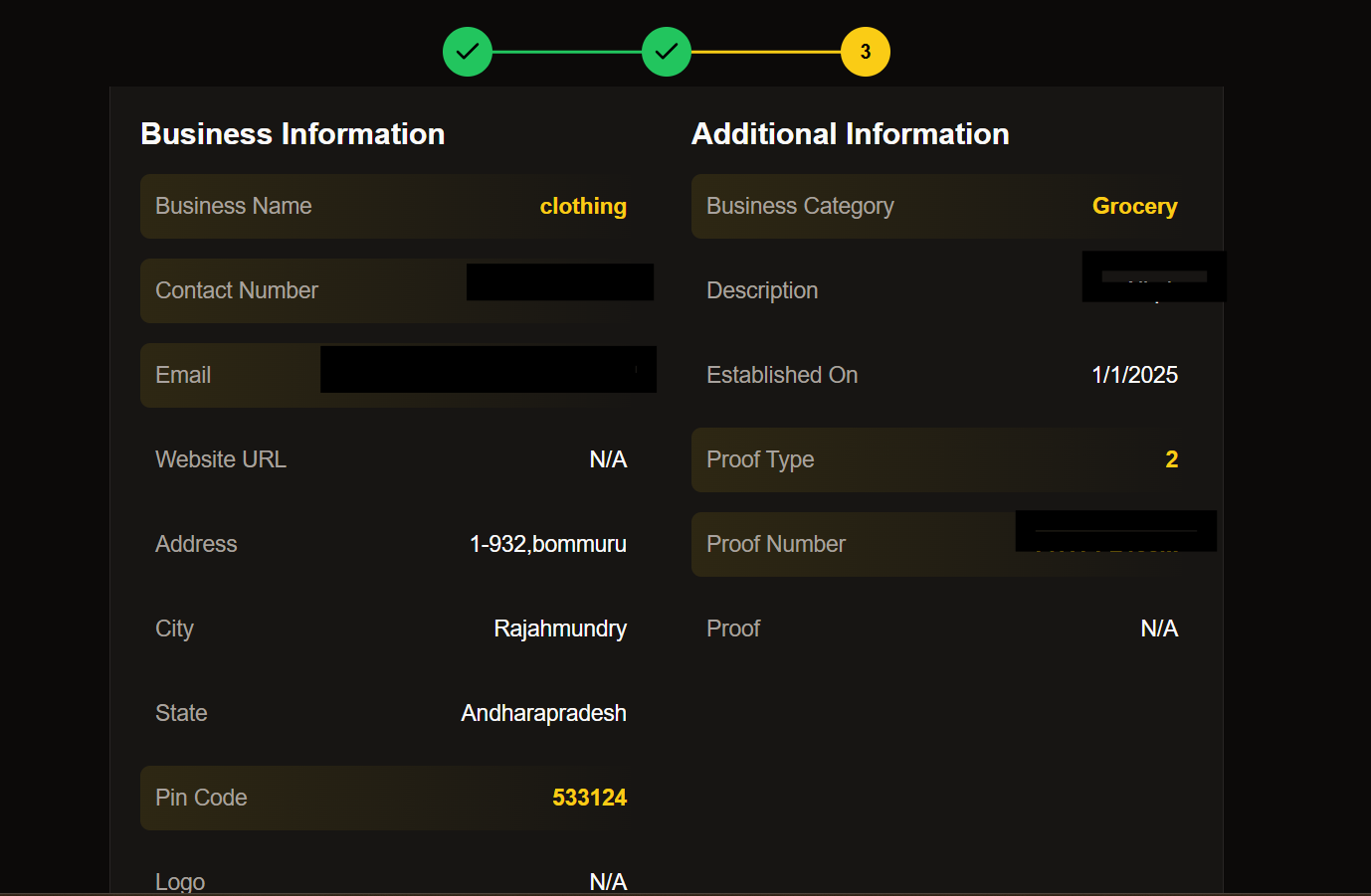
Final Review
Before submitting your information, please verify the following:
- All required fields are completed
- Documents are properly uploaded
- Contact information is accurate
- Business details are current

Need assistance? Our support team is available 24/7 to help you complete your business profile setup.
Contact us at support@epicmarket.com
Next Steps
Verify Email
Check your inbox for verification email
Complete Profile
Add additional business details
Set Up Payments
Configure payment methods
Go Live
Launch your business profile