

Issue Management System
Our Issue Management System prioritizes user experience and efficient problem-solving, designed to help users report and track issues effortlessly.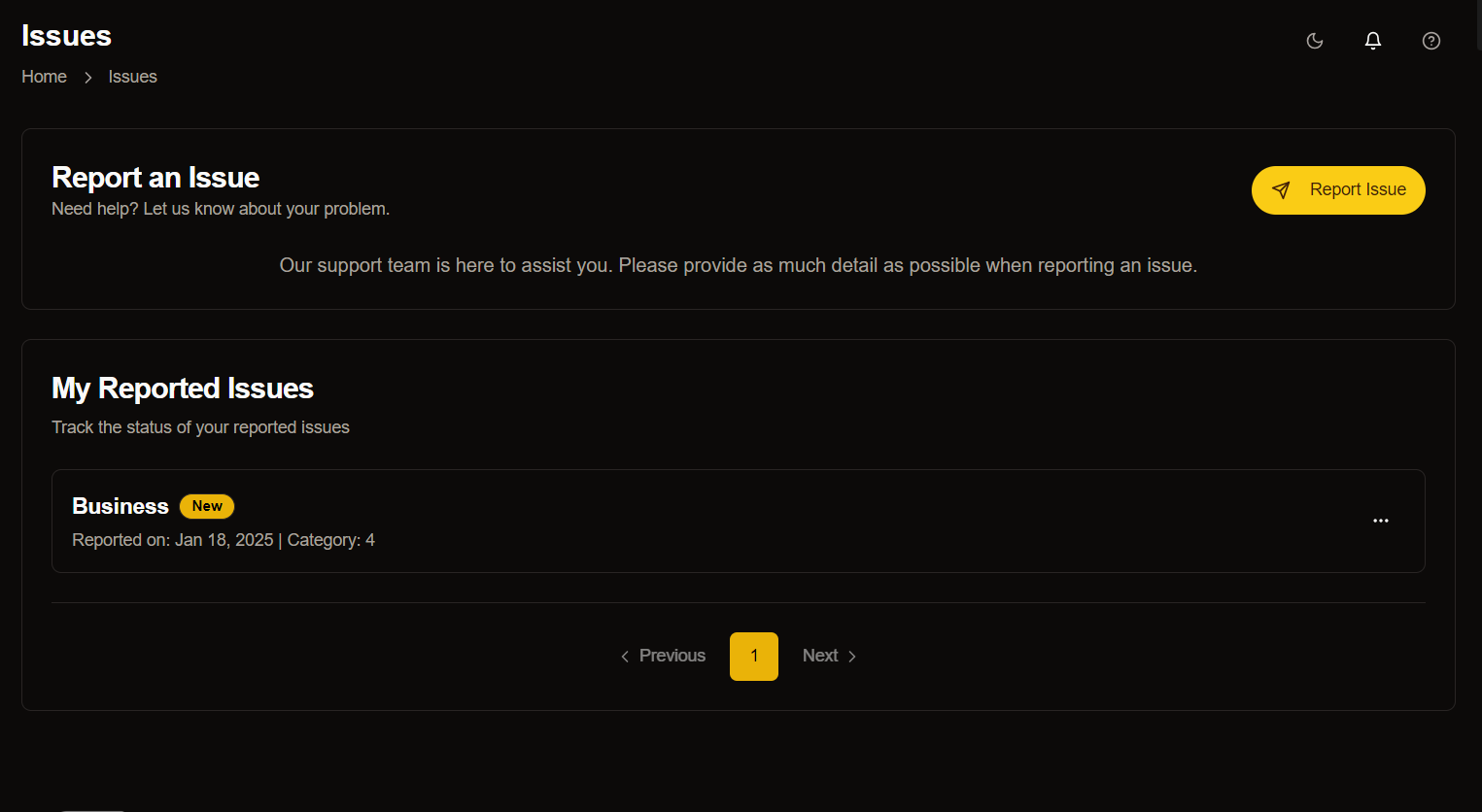
Key Features
Report an Issue Section
Our system features a prominently placed yellow “Report Issue” button that serves as the main entry point for users seeking assistance. This section includes:- Prominent yellow “Report Issue” button.
- Support team availability message.
- Guidelines for providing detailed information.
My Reported Issues Section
Users can easily track the status of their previously reported issues in this centralized location. Each issue displays:- Issue category
- Reporting date
- Category number
- Current status
Pagination Controls
The system includes intuitive pagination at the bottom, enabling users to- Navigate through multiple pages of reported issues.
- Access historical submissions.
- Maintain organized issue tracking.
Status Indicators
Clear status indicators, such as the “New” label, provide immediate visibility into an issue’s current state.User Benefits
Transparency
Users can monitor the progress of their reported issues in real-time, maintaining clear communication throughout the resolution process.Efficiency
Strategic categorization of issues helps our support team prioritize and address problems faster, reducing resolution time.Ease of Use
The minimalistic design ensures that users of all technical backgrounds can navigate the system without difficulty.Potential Improvements
We are considering several enhancements to further improve the system:- Search Functionality: Adding a search bar for filtering issues by keywords or categories
- Enhanced Status Tracking: Implementing detailed status indicators (e.g., “In Progress,” “Resolved”)
- Feedback System: Including an option for users to provide feedback after issue resolution