

How to Get Started for Business Owners
The path to digital success has never been easier. With EpicMarket, you can begin your transformation journey in just a few steps.Create Your Business Account 🚀
-
Visit the Business Creation Portal
Navigate to https://epicmarket.in/business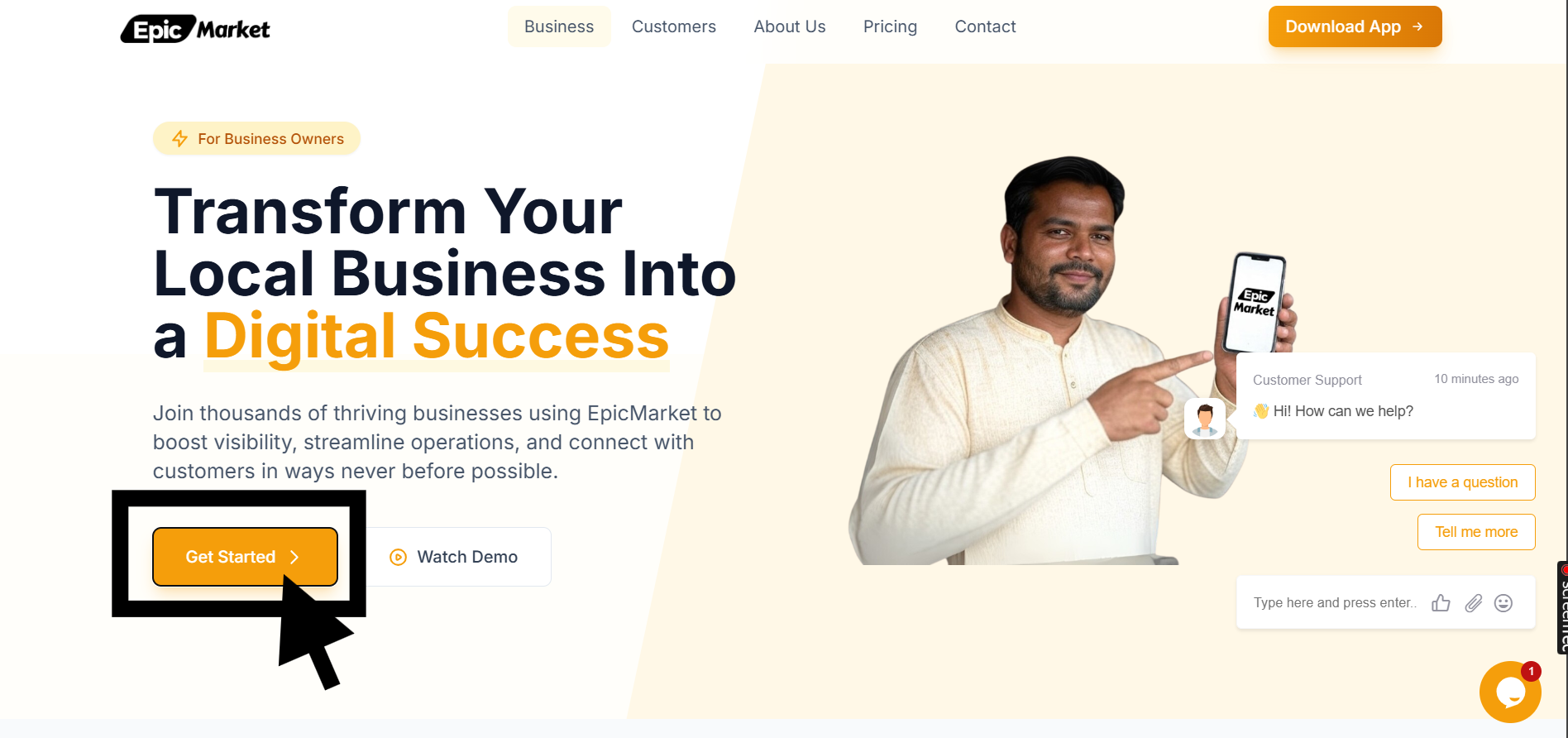
-
Click the “Get Started” button
Look for the prominent blue button at the top of the page to begin the process.
Make sure you have your business details ready before starting the
registration process.
Registration Guide
Follow our step-by-step process to complete your registration.Step-by-Step Registration Process
Registration Portal: https://owner.epicmarket.in/auth/login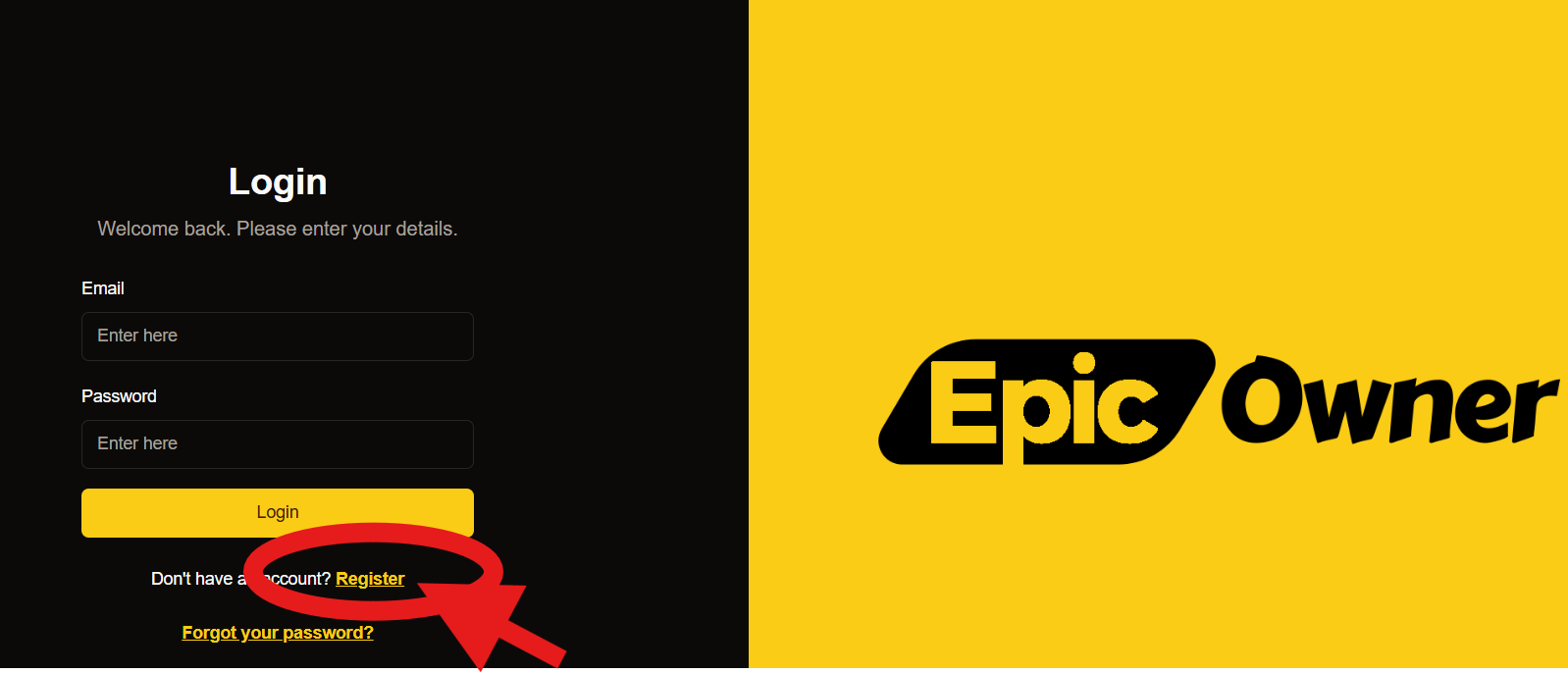
-
Access Registration Form 💼
- Click the “Register” link below the login form
- You’ll see these form fields:
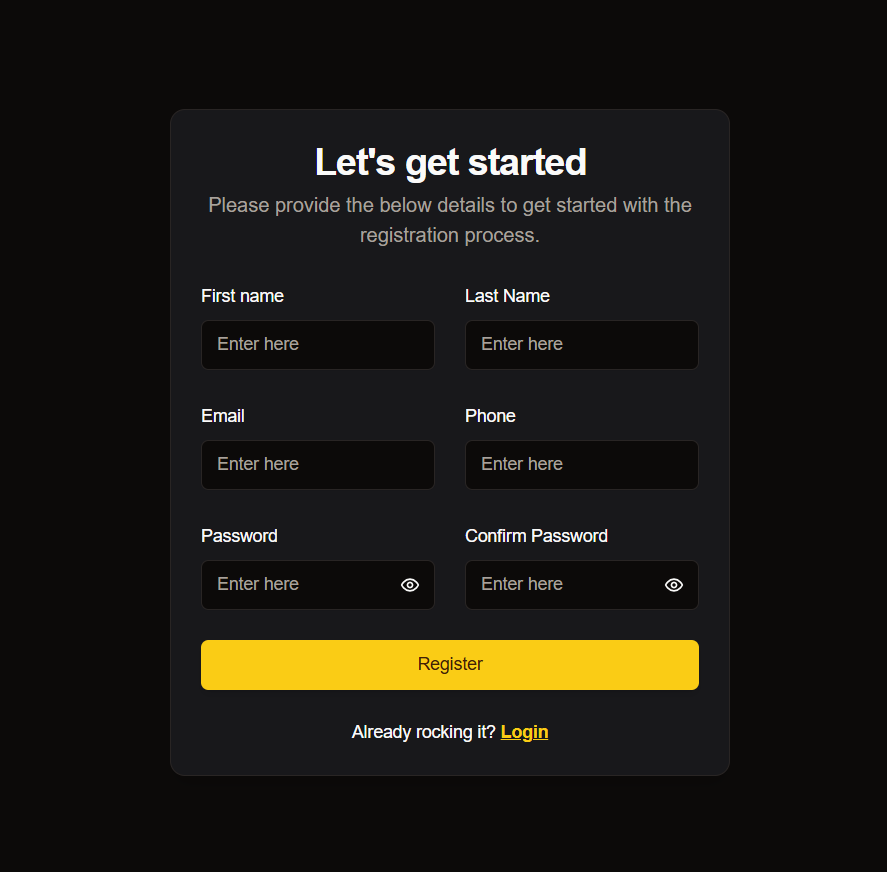
-
Fill in Your Details ✏️
- Start by entering your first and last name in their respective fields
- Provide your email address and phone number
- Ensure there are no types, as these details will be used for verification
-
Set Up Security 🔒
- Choose a secure password
- Type it into the “Password” field
- Retype it in the “Confirm Password” field
-
Submit Your Application ✅
- Review all entered information
- Click the yellow “Register” button to submit your details
What’s Next? 🎯
After completing your registrationComplete Your Profile
Add your business details, logo and operating hours
Set Up Payments
Connect your payment processing methods
List Products
Start adding your products or services
Need Support?
Contact Us
Our support team is available 24/7 to assist you.
- 📧 Email: support@epicmarket.in
- 💬 Live Chat: Available in dashboard
- 📞 Phone: +91 9014753848
For technical issues during registration, please contact our support team with
the error message and a screenshot if possible.