
Point of Sale (POS) System
Info: Our POS system combines powerful inventory management with an intuitive checkout experience, helping retail businesses process transactions efficiently while collecting valuable customer data.
Product Catalog Interface
Visual Overview
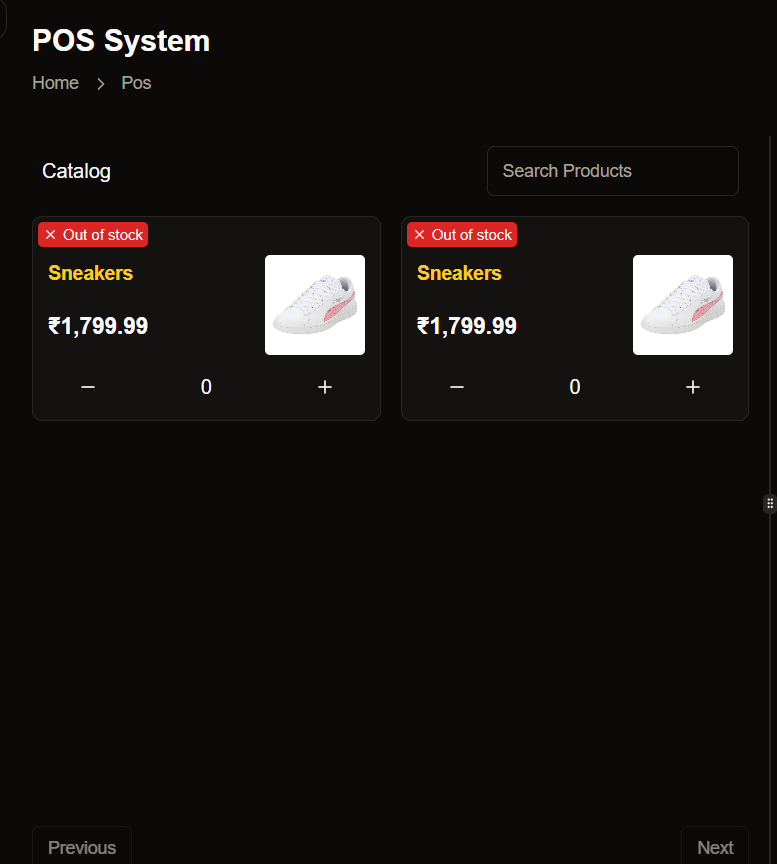
Browse through your entire product inventory with our visually optimized catalog view. Each product is displayed with clear imagery and essential information for quick identification.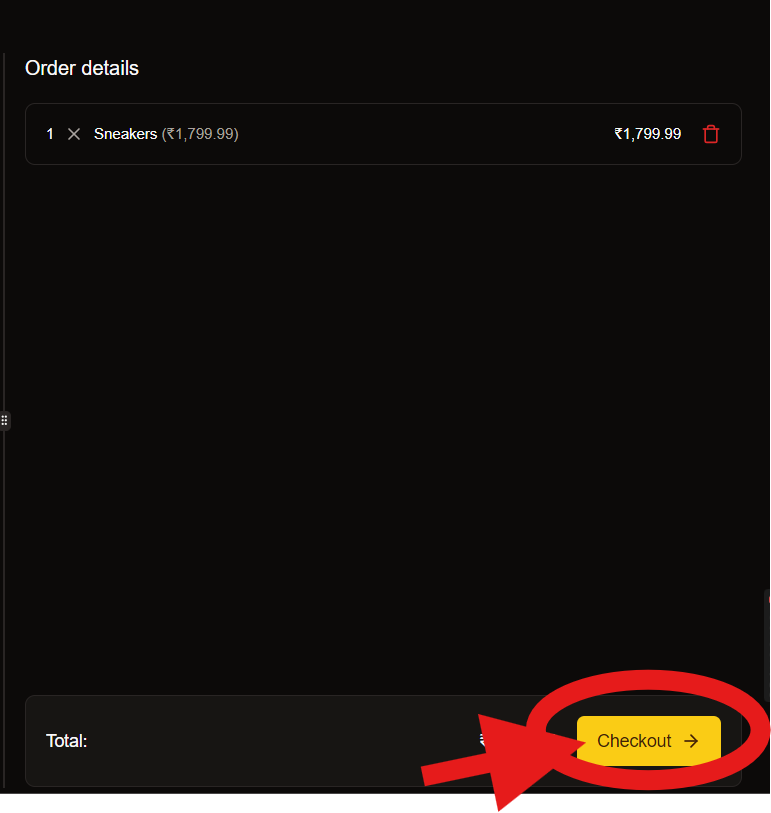
Key Features
Visual Product Cards
Each product card displays a high-quality product image, name, and price for easy browsing and selection.
Smart Search
Quickly find products with our intelligent search functionality that supports partial matches and category filters.
Pagination Controls
Navigate through your catalog with intuitive Previous and Next buttons for a seamless browsing experience.
One-Click Add
Add products to the current order with a single click, streamlining the checkout process.
Checkout Workflow
Follow our streamlined checkout process to complete transactions quickly and accurately.1
Build the Order
Select products from the catalog to add to the current order. The system automatically calculates totals and applies any relevant discounts.
2
Review Order Summary
Verify the order details, including:
- Total amount (e.g., ₹1,799.99)
- Individual items and quantities
- Applied discounts or promotions
3
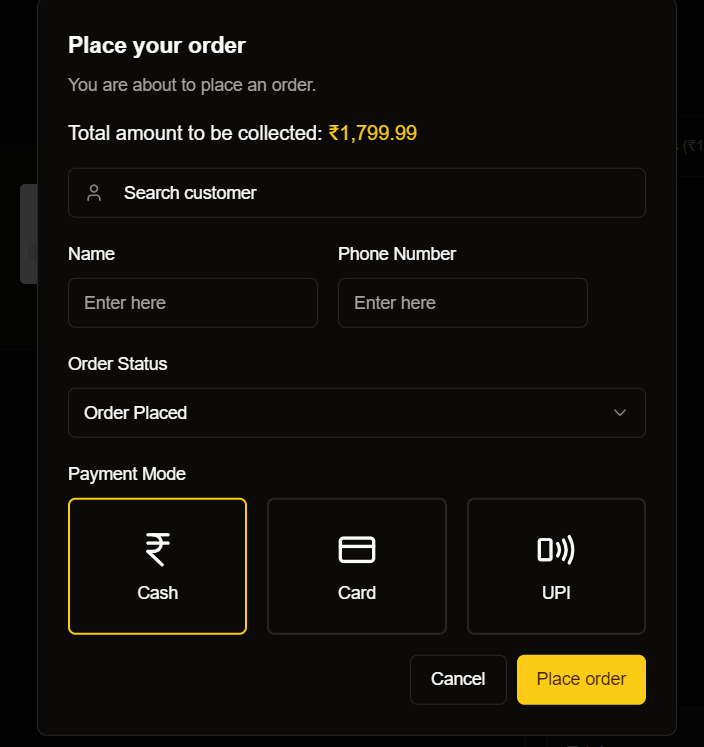
Collect Customer Information
4
Select Payment Method
- Process traditional cash payments with automatic change calculation.
- Accept credit and debit cards through integrated payment terminals.
- Generate dynamic QR codes for seamless UPI transactions.
5
Complete Transaction
Finalize Order
Finalize Order
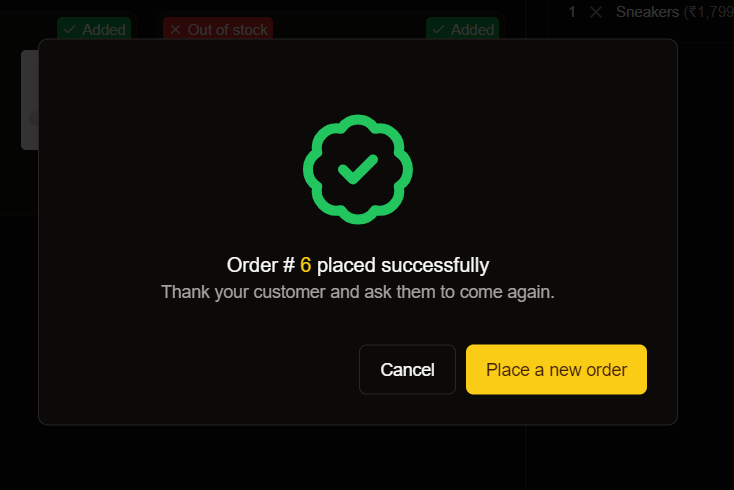
Click the “Place Order” button to complete the transaction. The system will display a success confirmation and generate a receipt.
Cancel Order
Cancel Order
If needed, you can cancel the current order by clicking the “Cancel” button.
Payment Options
Choose from multiple payment methods to accommodate all customer preferences.Cash Payments
Process traditional cash transactions with automatic change calculation and drawer management.
Card Payments
Accept credit and debit cards through integrated payment terminals with instant verification.
UPI Payments
Generate dynamic QR codes for seamless UPI transactions popular in the Indian market.
Order Statuses
| Status | Description | Next Actions |
|---|---|---|
| Order Placed | Initial status after successful payment | Prepare order, Print receipt |
| Processing | Order is being prepared | Package items, Verify contents |
| Completed | Order fulfilled and delivered to customer | Request feedback, Offer loyalty rewards |